

My 9-year-old son lately decided he wanted a gaming PC.
Instead of just buying a pre-built box from a store, he started researching what he needed.
He had specific requirements: a particular GPU and graphic card he’d found through his own research online, over a couple of days during his screentime. He started looking at gaming laptops, but they were prohibitively expensive.
So I gave him a budget constraint. “If you can find the parts within this budget, we can build it.”
He rose to the challenge. He spent hours researching, comparing prices, and filling an Amazon cart with compatible components. He did all the research himself.
But when the time came, he got restless waiting for shipping. So we drove to a local store, found the parts he had listed (or their equivalents), and bought it all on the spot.
The Build
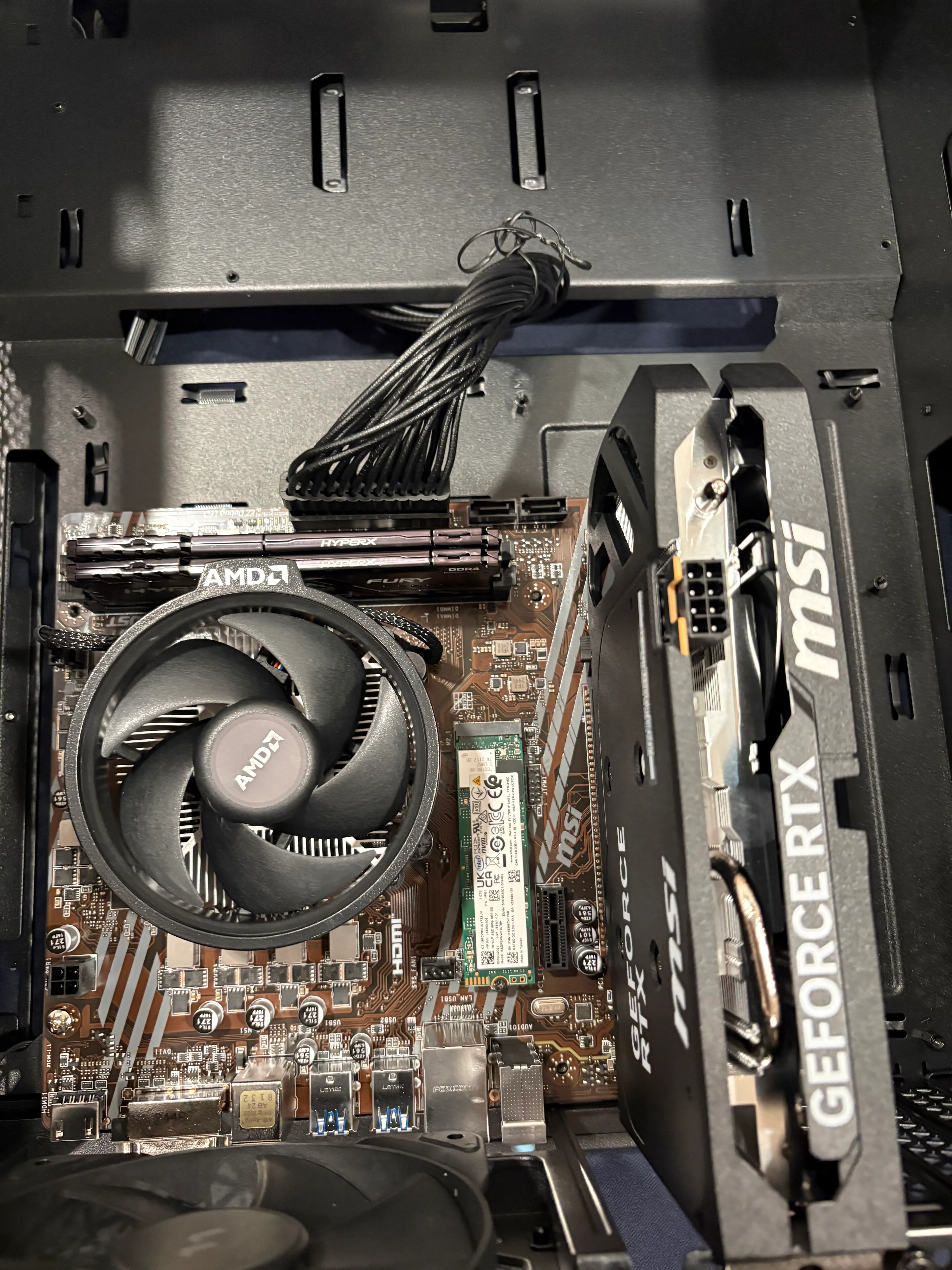
The Specs
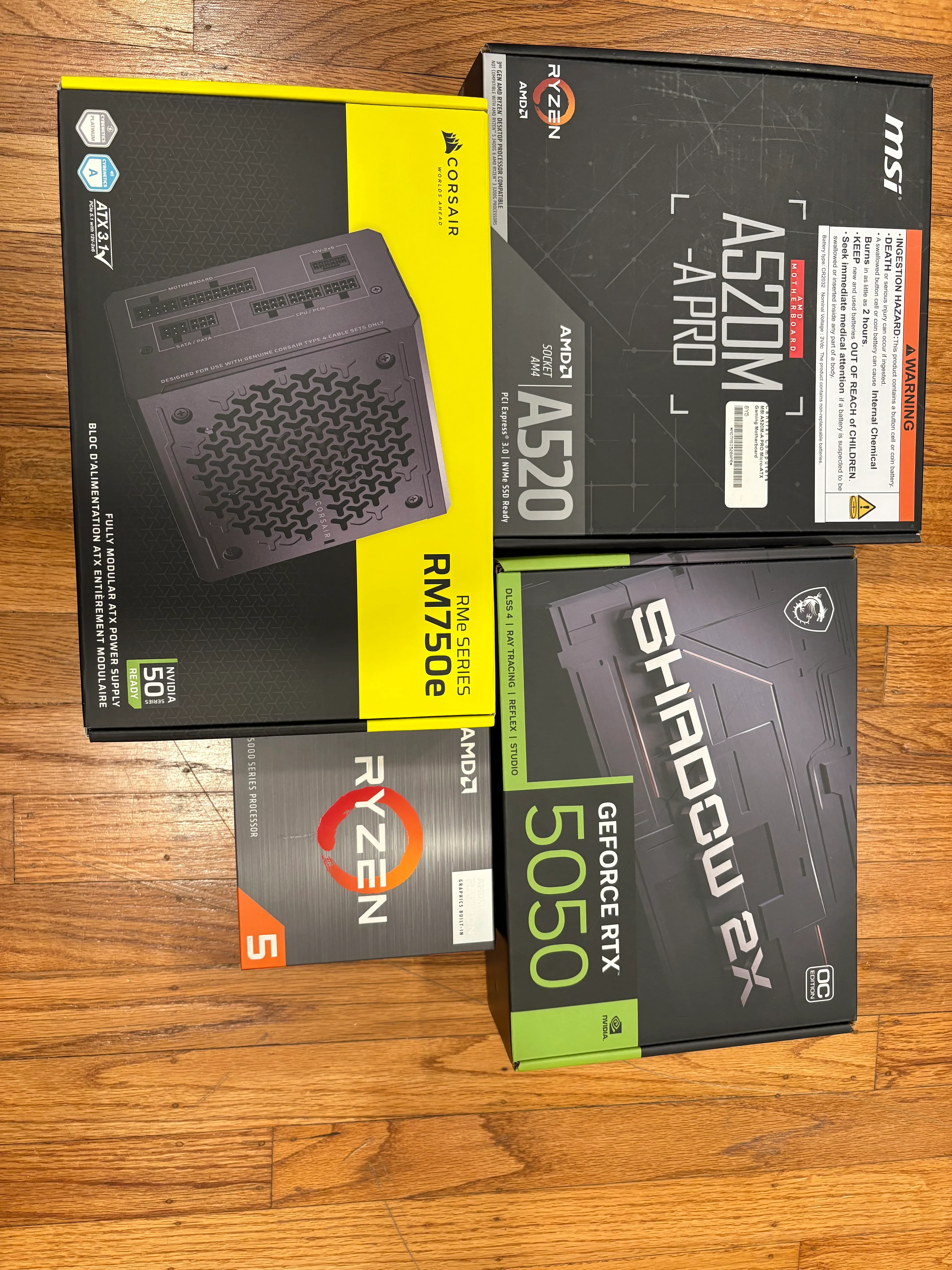
- CPU: AMD Ryzen 5
- GPU: GeForce RTX 5050 (Shadow 2X)
- Motherboard: MSI A520M-A PRO
- PSU: Corsair RM750e
- Storage: Recycled SSD from old laptop
- RAM: Kingston DDR4 (not in the pic)
We brought home the boxes: CPU, GPU, motherboard, case, RAM, screw driver kit, and power supply. He didn’t wait for a lecture. He dove in.
The afternoon we bought the parts, we had to go out and returned late in the evening. After we got home, he spent a couple of hours unpacking everything and installing the CPU with thermal paste, without any supervision. We forced him to bed (reluctantly on his part).
The next day, he assembled the rest independently, mostly without supervision. Risky? Absolutely. But he was careful, methodical, and honestly more focused than I expected.
To my amazement, he ended up doing 90% of the assembly himself.
He installed the CPU (the most nerve-wracking part for any builder), mounted the motherboard, seated the GPU, and secured the hard drive. He handled the delicate parts with surprising care.
The Budget Constraint
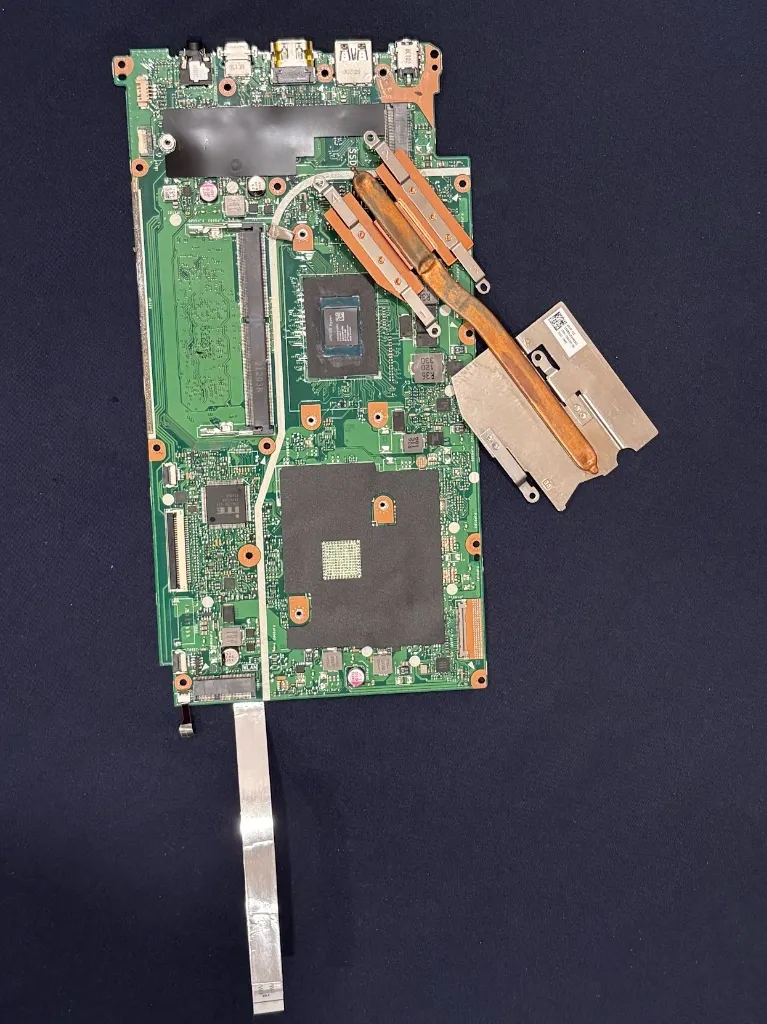
While creating his parts list, he ran up against the budget. “Why not use Mom’s laptop?” he asked. “It’s dead, but maybe we can extract the SSD.”
I said that sounded like a good idea, though I wasn’t sure if the drive was still functional. Then I paused and asked, “Why only the SSD? Why not the RAM too?”
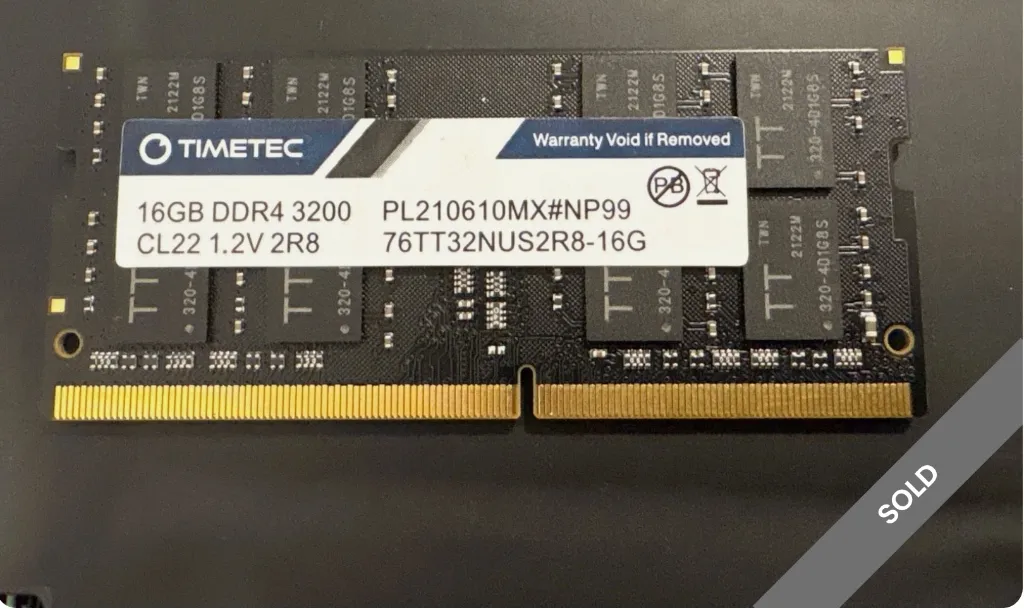
“Bruh, laptop RAM doesn’t fit for Desktop,” he said.
I was pretty amazed by that. He was right, of course (DIMM vs SO-DIMM), but hearing a 9-year-old explain form factor compatibility and correct me was a highlight of the build.
So he extracted the SSD for his rig (it worked perfectly). For the RAM, he suggested we sell it on eBay. I was doubtful anyone would want old laptop memory, but I listed it anyway. To my surprise, someone bought it!
The Challenges
Of course, it wasn’t all smooth sailing.
The Fan Problem
The PC case had RGB fan connectors that weren’t compatible with the motherboard’s headers.
We actually discovered this late in the process—the motherboard doesn’t support ARGB. When he realized it, he said his PC “isn’t an actual gaming PC until his fan’s LED lights up.”
His solution? Find a fan hub that can light up his case fans. We’re still waiting to order it and see if his workaround brings the RGB to life.
The WiFi Situation
I missed it when reviewing his parts list. His motherboard didn’t have WiFi.
When I realized and asked him about it, he said, “I know. Real gamers use LAN for speed anyway.”
Fair point. Except we didn’t have a LAN connection near his desk.
“We can use the WiFi extender,” he said. “It has a LAN port.”
Of course it does. So we dug out our old WiFi extender, reconfigured it, and ran a LAN cable from the extender to his PC. Problem solved.
The Final 10%
My involvement was mostly looking up the manual to tell him which connectors go where. He did the actual plugging.
The First Boot Panic
We powered it on. Nothing.
The motherboard showed a white light on the RAM slot. My heart sank. “Did we cook the RAM?” We thought we’d have to order new memory.
Then we tried the oldest trick in the book: reseat it. Clicked it back in firmly. Pressed the power button.
It booted.
The GPU Mystery
The system was running, but the GPU fans weren’t spinning and there was no signal to the monitor. We noticed that the card wasn’t seated well.
His mom came over and helped to reseat the graphics card. It reminded us of the Nintendo days: when a game cartridge wouldn’t work, you’d pull it out and push it back. He said the “golden teeth” are in!
We pulled the GPU, checked the contacts, and seated it again with a firm push.
Click.
The fans spun up. He jumped in joy.
The Easy Part
Because he’d pulled the SSD from his mom’s old laptop (with the OS already on it), we had zero headaches installing the operating system. It just worked.
Outcome
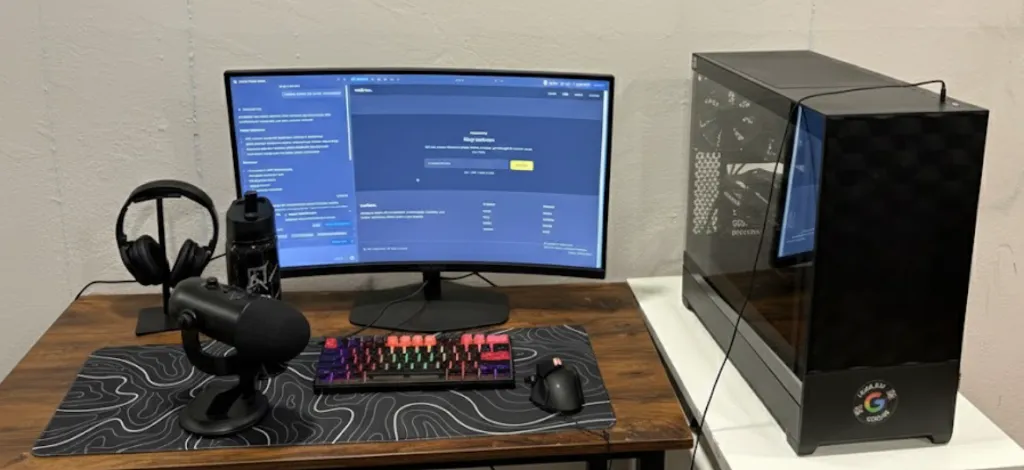 (PS: He says he needs a better chair and table for his “gaming” setup)
He now has a gaming PC that is truly his. Not just because he owns it, but because he built it. He knows what’s inside the box. He knows how the SSD connects to the motherboard. He knows that if he wants to upgrade the GPU later, it’s just a matter of opening the case and swapping a part.
It’s a reminder that kids are often capable of much more than we give them credit for. We assume they need hand-holding, but often they just need the parts and the permission to try. To be frank, I was scared and was risking screwing it all up.
He already told me that if he gets another chance, he wants to build another one. The itch is real.
(Now I just need to make sure he doesn’t disassemble my laptop for his needs.)
Want to see more of his work? Check out his website at vedrao.com.
The Build in His Own Words
He also made a video documenting the build process:

About Hemanth HM
Hemanth HM is a Sr. Machine Learning Manager at PayPal, Google Developer Expert, TC39 delegate, FOSS advocate, and community leader with a passion for programming, AI, and open-source contributions.