
With the evolution of HTML5 APIs taking a video to Fullscreen and back is very easy and indeed no flash!
P.S : I shall be using webm for the demo, the below image and explanations must make things clear on why webm.
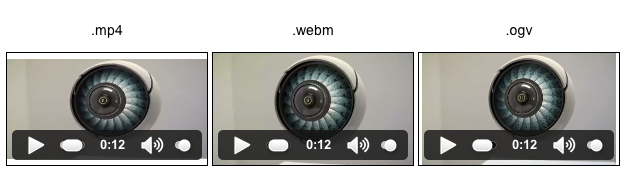
Why webm? :
It gives :
-
VP8, a high-quality video codec we are releasing today under a BSD-style, royalty-free license
-
Vorbis, an already open source and broadly implemented audio codec.
-
Container format based on a subset of the Matroska media container.
Benefits ? :
-
It supports very high quality video viewing.
-
Enables great video playback performance, even on older computers.
-
It is completely free and open to everyone platform.
-
Supported on popular video sites like YouTube and so on.
THE CODE : [ webkit, v8 and spidermonkey ]
var videoElement = document.getElementById("myvideo");

  function toggleFullScreen() {
    if (!document.mozFullScreen && !document.webkitFullScreen) {
      if (videoElement.mozRequestFullScreen) {
        videoElement.mozRequestFullScreen();
      } else {
        videoElement.webkitRequestFullScreen(Element.ALLOW_KEYBOARD_INPUT);
      }
    } else {
      if (document.mozCancelFullScreen) {
        document.mozCancelFullScreen();
      } else {
        document.webkitCancelFullScreen();
      }
    }
  }

  document.addEventListener("keydown", function(e) {
    if (e.keyCode == 13) {
      toggleFullScreen();
    }
  }, false);
Feel free to check out DEMO and comment below!

About Hemanth HM
Hemanth HM is a Sr. Machine Learning Manager at PayPal, Google Developer Expert, TC39 delegate, FOSS advocate, and community leader with a passion for programming, AI, and open-source contributions.