Zero

zero

Zero configuration web framework.

Zero abstracts the usual project configuration for routing, bundling, and transpiling to make it easier to get started.Inbuild support for Node.js, React, HTML, MDX, and static files and put them all in a folder. Auto configuration, File-system Based Routing and Auto Dependency Resolution are the major features of zero.

Get it: npm install zero

Sample usage:

1
2
3
4
5
6
7
// time.js
const moment = require("moment")

module.exports = (req, res) => {
  var time = moment().format('LT');   // 11:51 AM
  res.send({time: time })
}

zero should serve http://localhost:3000/time

GIF FTW

zero

Vfile

vfile

Virtual file format for text processing.

vfile can be used anywhere where files need a lightweight representation, is a part of unified, a text processing umbrella. Each processors that parse, transform, and compile text, and need a virtual representation of files and a place to store messages about them.

Get it: npm install vfile

Sample usage:

1
2
3
4
5
6
7
8
9
10
11
12
13
14
15
16
17
18
19
20
21
var vfile = require('vfile')

var file = vfile({path: '~/example.txt', contents: 'Alpha *braavo* charlie.'})

file.path // => '~/example.txt'
file.dirname // => '~'

file.extname = '.md'

file.basename // => 'example.md'

file.basename = 'index.text'

file.history // => ['~/example.txt', '~/example.md', '~/index.text']

file.message('`braavo` is misspelt; did you mean `bravo`?', {
  line: 1,
  column: 8
})

console.log(file.messages)

GIF FTW!

vfile.gif

Uxm

uxm

User Experience Metric

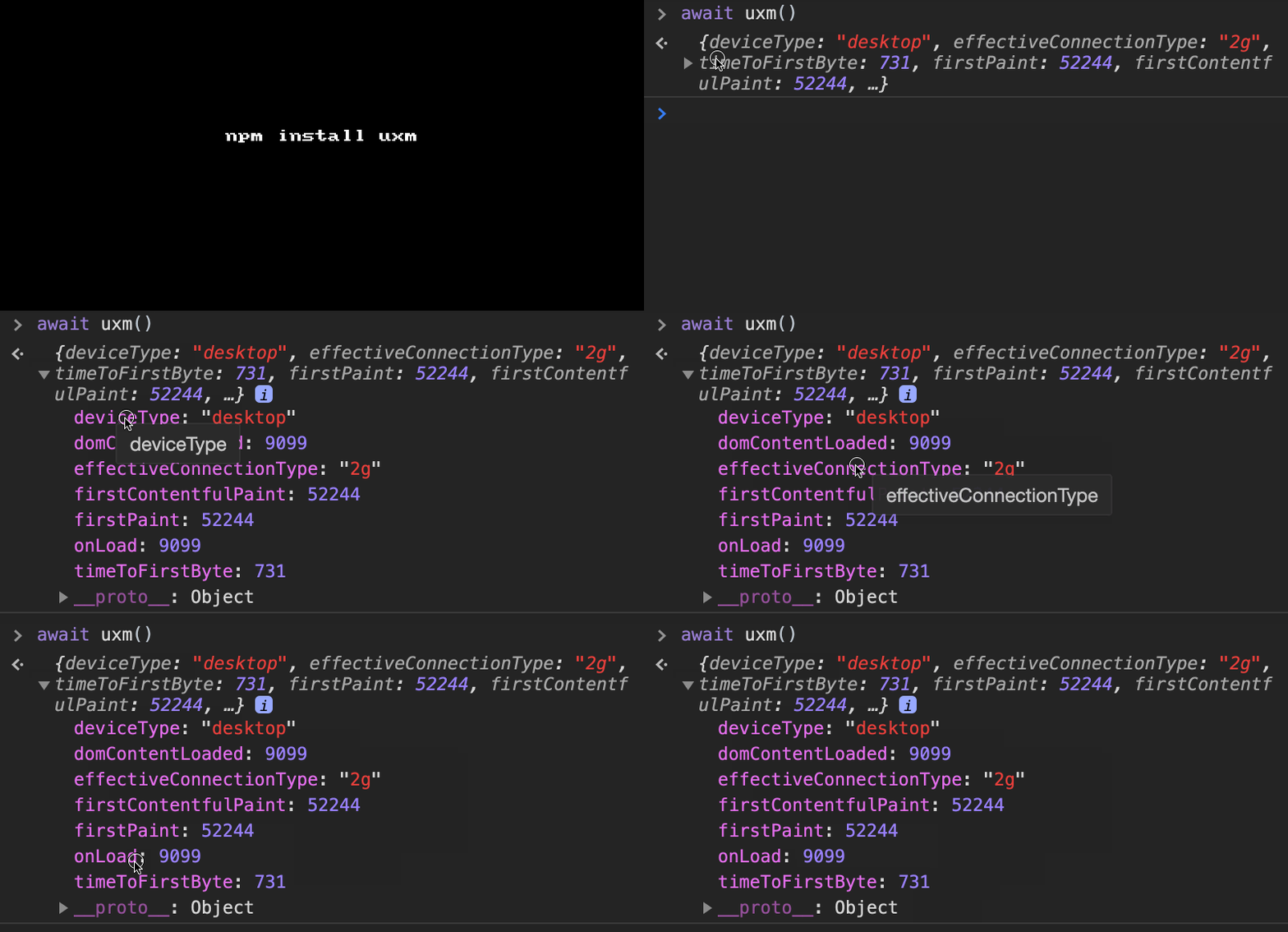
User Experience Metric aka uxm a tiny (1kb gzip) utility library for collecting web performance metrics that affect user experience. Graceful support of latest browser APIs like Performance Paint Timing, Network Information, or Device Memory, User Timing API and experimental Long Tasks support for interactivity metrics.

Get it: npm install uxm

Sample usage:

1
2
3
4
5
6
7
8
9
10
11
12
13
import { uxm } from 'uxm'

uxm().then(metrics => {
  console.log(metrics) // ->
  {
    "deviceType": "desktop",
    "effectiveConnectionType": "4g",
    "firstPaint": 1646,
    "firstContentfulPaint": 1646,
    "domContentLoaded": 1698,
    "onLoad": 2508
  }
})
1
2
3
4
5
6
7
import { getUrl, getFirstContentfulPaint, getDomContentLoaded } from 'uxm'

const metrics = {
  url: getUrl(),
  fcp: getFirstContentfulPaint(),
  dcl: getDomContentLoaded()
}
1
2
3
4
5
6
7
import { getDeviceType, getDeviceMemory, getEffectiveConnectionType } from 'uxm'

const device = {
  type: getDeviceType(),
  memory: getDeviceMemory(),
  connection: getEffectiveConnectionType()
}

GIF FTW!

umx

Lolex

lolex

Fake "timers"

lolex useful for testing, extract from Sinon.JS helps to fake timer:

  • setTimeout
  • clearTimeout
  • setImmediate
  • clearImmediate
  • setInterval
  • clearInterval
  • requestAnimationFrame
  • cancelAnimationFrame
  • requestIdleCallback
  • cancelIdleCallback

Along with a clock instance that controls the flow of time. Lolex also provides a Date implementation that gets its time from the clock.

In addition in browser environment lolex provides a performance implementation that gets its time from the clock. In Node environments lolex provides a nextTick implementation that is synchronized with the clock - and a process.hrtime shim that works with the clock.

Get it: npm install lolex

Sample usage:

1
2
3
4
5
6
7
8
9
10
let lolex = require("lolex");
let clock = lolex.createClock();

clock.setTimeout(function () {
    console.log("nmotw.in");
}, 15);

// ...

clock.tick(15); // nmotw.in

GIF FTW!

lolex

Text-diff

text-diff

HTML formatted text diff!

text-diff is an implementation of diff-match-patch which is a high-performance library in multiple languages that manipulates plain text.

Get it: npm install text-diff

Sample usage:

1
2
3
4
5
const Diff = require('text-diff');

const diff = new Diff(); // options may be passed to constructor; see below
const textDiff = diff.main('text1', 'text2'); // produces diff array
diff.prettyHtml(textDiff); // produces a formatted HTML string

GIF FTW!

text-diff

Npkill

npkill

Easily find and remove old and heavy node_modules folders

npkill is a cheeky CLI tool that helps us to clean up node_modules with a uber cool CLI experience.

Get it: npx npkill

Sample usage:

1
2
3
4
5
6
7
8
9
10
11
12
13
14
15
16
17
18
19
20
$ npkill --help

   -c, --bg-color          Change row highlight color. Available colors are: blue, cyan, magenta, red, white and yellow. Default
                           is blue.

   -d, --directory         Set directory from which to start searching. By default, starting-point is .

   -D, --delete-all        CURRENTLY DISABLED. Automatically delete all node_modules folders that are found.

   -e, --show-errors       Show error messages if any.

   -f, --full              Start searching from the home of the user (example: "/home/user" in linux).

   -gb                     Show folder size in Gigabytes

   -h, --help, ?           Show this help page, with all options.

   -nu, --no-check-update  Dont check for updates on startup.

   -v, --version           Show version.

GIF FTW!

npkill

Console-badge

console-badge

🎨 Create simple badges in the browser console

console-badge fun little less than 1kB util that helps us to console log badges that can be customized and also provides popular shields.io badge style as the default style.

Get it: npm install console-badge

Sample usage:

1
2
3
4
5
6
7
8
9
10
11
12
13
14
15
16
17
import * as consoleBadge from 'console-badge';

consoleBadge.log({
  mode: 'shields.io',
  leftText: 'console-badge',
  rightText: 'hello world 🚀',
  rightBgColor: '#ffc107',
  rightTextColor: '#1a1a1a'
});

consoleBadge.log({
  leftText: '😎 Check out our code here:',
  leftTextColor: '#000',
  leftBgColor: '#ddd',
  rightText: 'https://nmotw.in',
  rightBgColor: '#000'
});

GIF FTW!

console-badge

Human-interval

human-interval

Human readable interval parser.

human-interval with 60 lines of code and some smart use of regexps provides a easy way to parser intervals in human readable form.

Get it: npm install --save human-interval

Sample usage:

1
2
3
4
5
const humanInterval = require('human-interval');

setTimeout(() => {
  // Do something crazy!
}, humanInterval('three minutes'));
1
2
3
4
humanInterval('one minute');
humanInterval('1.5 minutes');
humanInterval('3 days and 4 hours');
humanInterval('3 days, 4 hours and 36 seconds');

GIF FTW!

human-interval

Jay

jay

Supercharged JavaScript REPL 😎

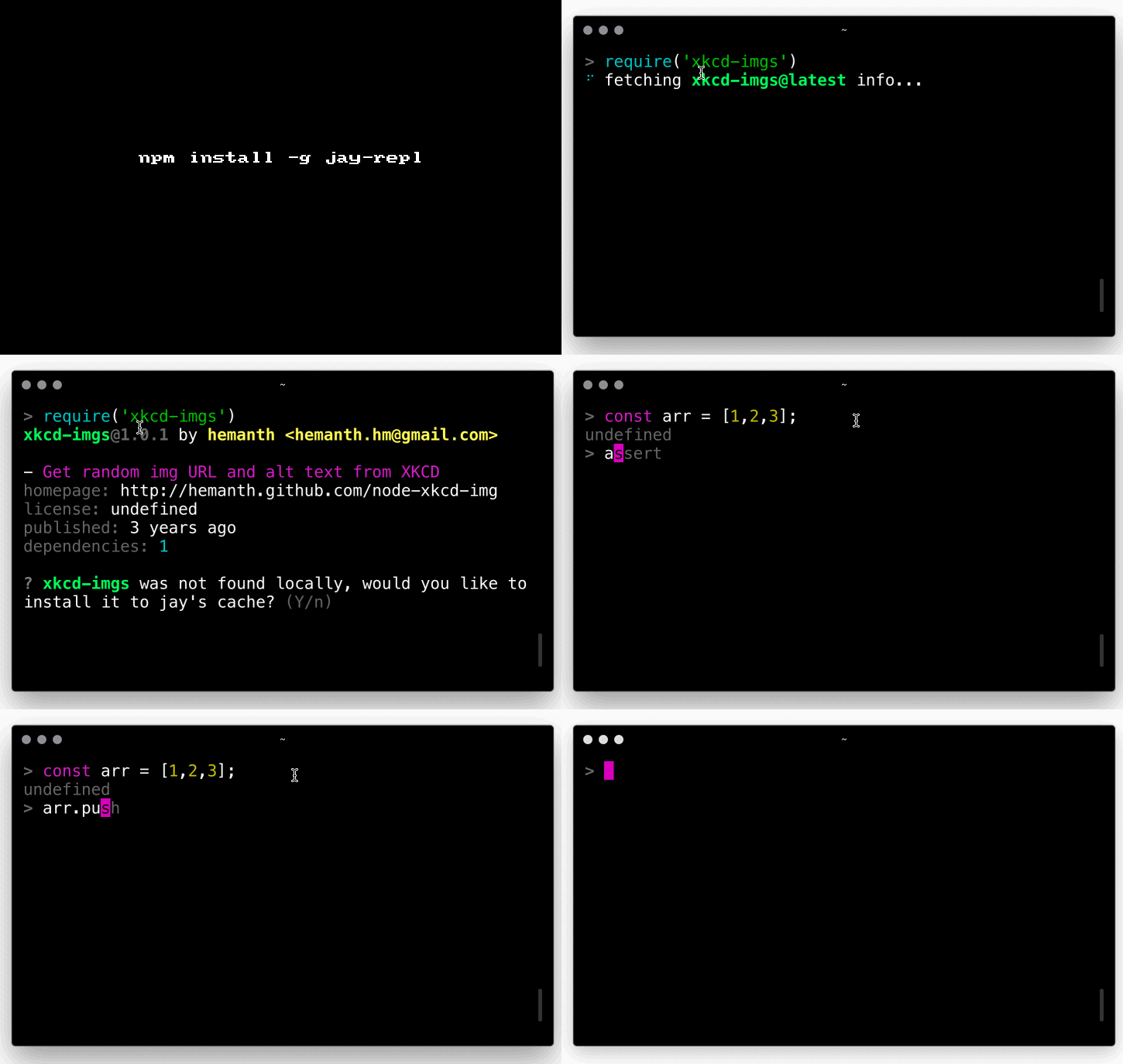
Jay is a terminal-based JavaScript REPL focused on increasing prototyping speed and productivity, it provides:

  • require modules directly from the registry
  • Eager eval (requires node >= 12.3.0)
  • Top level await
  • Typeahead + dropdown menu-style completion
  • Colored input
  • Bracket/quote pair completion
  • Fresh require
  • Full readline keybindings support
  • Lazy loaded built-in modules
  • _ variable

Get it:

1
npm install -g jay-repl
1
npx -p jay-repl jay

Sample usage:

1
2
3
4
$ jay --help
node v12.0.3 [email protected] [email protected]
Type `> jay.help()` in the prompt for more information.
>

GIF FTW!

jay

Responselike

responselike

response-like object for mocking HTTP response stream.

responselike returns a streamable response object similar to a HTTP response stream. Useful for formatting cached responses so they can be consumed by code expecting a real response.

Get it: npm install responselike

Sample usage:

1
2
3
4
5
6
7
8
9
10
11
12
13
14
15
const Response = require('responselike');

const response = new Response(200, { foo: 'bar' }, Buffer.from('Hi!'), 'https://example.com');

response.statusCode;
// 200
response.headers;
// { foo: 'bar' }
response.body;
// <Buffer 48 69 21>
response.url;
// 'https://example.com'

response.pipe(process.stdout);
// Hi!

GIF FTW!

responselike