Get-port

get-port

Get an available TCP port

get-port helps us to find a free TCP port from a list of ports or the entire port pool!

The crux of this module is in the below function:

1
2
3
4
5
6
7
8
9
10
11
const getAvailablePort = options => new Promise((resolve, reject) => {
  const server = net.createServer();
  server.unref();
  server.on('error', reject);
  server.listen(options, () => {
      const {port} = server.address();
      server.close(() => {
          resolve(port);
      });
  });
});

Get it: npm install get-port

Sample usage:

1
2
3
4
5
6
7
8
9
10
11
12
13
14
15
16
const getPort = require('get-port');

(async () => {
    console.log(await getPort());
    //=> 51402
})();

(async () => {
    console.log(await getPort({port: [3000, 3001, 3002]}));
    // Will use any element in the preferred ports array if available, otherwise fall back to a random port
})();

(async () => {
    console.log(await getPort({port: getPort.makeRange(3000, 3100)}));
    // Will use any port from 3000 to 3100, otherwise fall back to a random port
})();

GIF FTW!

get-port

Hjson

hjson

A user interface for JSON.

hjson, human JSON if you may is a syntax extension to JSON, that allows us to create JSON with human friendly syntax with it's prase and strigify methods, like below:

1
2
3
4
5
6
7
8
9
10
11
12
13
14
15
16
{
  # specify rate in requests/second (because comments are helpful!)
  rate: 1000

  // prefer c-style comments?
  /* feeling old fashioned? */

  # did you notice that rate doesn't need quotes?
  hey: look ma, no quotes for strings either!

  # best of all
  notice: []
  anything: ?

  # yes, commas are optional!
}

GET IT: npm install hjson

Sample usage:

1
2
3
4
var Hjson = require('hjson');

var obj = Hjson.parse(hjsonText);
var text2 = Hjson.stringify(obj);
1
2
3
4
5
6
7
8
9
10
11
12
13
14
15
16
17
18
19
20
21
22
23
24
25
26
Usage:
  hjson [OPTIONS]
  hjson [OPTIONS] INPUT
  hjson (-h | --help | -?)
  hjson (-V | --version)

INPUT can be in JSON or Hjson format. If no file is given it will read from stdin.
The default is to output as Hjson.

Options:
  (-j | -json)  output as formatted JSON.
  (-c | -json=compact)  output as JSON.
Options for Hjson output:
  -sl         output the opening brace on the same line
  -quote      quote all strings
  -quote=all  quote keys as well
  -js         output in JavaScript/JSON compatible format
              can be used with -rt and // comments
  -rt         round trip comments
  -nocol      disable colors
  -cond=n     set condense option (default 60, 0 to disable)

Domain specific formats are optional extensions to Hjson and can be enabled with the following options:
  +math: support for Inf/inf, -Inf/-inf, Nan/naN and -0
  +hex: parse hexadecimal numbers prefixed with 0x
  +date: support ISO dates

GIF FTW!

Fetch-retry

fetch-retry

Adds retry functionality to the Fetch API.

fetch-retry in about 88 lines of code provides an extension to the fetch API to accept retries, retryDelay, and retryOn on the options object, when omitted will default to 3 retries, a 1000ms retry delay, and to retry only on network errors.

Get it: npm install fetch-retry

Smaple usages:

1
const  fetch = require('fetch-retry');
1
2
3
4
5
6
7
8
9
10
11
fetch(url, {
    retries: 3,
    retryDelay: 1000
  })
  .then(function(response) {
    return response.json();
  })
  .then(function(json) {
    // do something with the result
    console.log(json);
  });
1
2
3
4
5
6
7
8
9
10
11
// Retry on 503
fetch(url, {
    retryOn: [503]
  })
  .then(function(response) {
    return response.json();
  })
  .then(function(json) {
    // do something with the result
    console.log(json);
  });
1
2
3
4
5
6
7
8
9
10
11
12
13
14
15
16
// Custorm retry
fetch(url, {
    retryOn: function(attempt, error, response) {
      // retry on any network error, or 4xx or 5xx status codes
      if (error !== null || response.status >= 400) {
        console.log(`retrying, attempt number ${attempt + 1}`);
        return true;
      }
    })
    .then(function(response) {
      return response.json();
    }).then(function(json) {
      // do something with the result
      console.log(json);
    });
}

GIF FTW!

fetch-retry

Toposort

toposort

Sort directed acyclic graphs

toposort does the topological sort or topological ordering of a directed graph.

Get it: npm install toposort

Sample usage:

1
2
3
4
5
6
7
8
9
10
11
12
13
14
15
16
// First, we define our edges.
var graph = [
  ['put on your shoes', 'tie your shoes']
, ['put on your shirt', 'put on your jacket']
, ['put on your shorts', 'put on your jacket']
, ['put on your shorts', 'put on your shoes']
]


// Now, sort the vertices topologically, to reveal a legal execution order.
toposort(graph)
// [ 'put on your shirt'
// , 'put on your shorts'
// , 'put on your jacket'
// , 'put on your shoes'
// , 'tie your shoes' ]

Sorting dependencies:

1
2
3
4
5
6
7
8
9
10
11
12
13
14
15
16
17
18
19
20
21
22
// This time, edges represent dependencies.
var graph = [
  ['tie your shoes', 'put on your shoes']
, ['put on your jacket', 'put on your shirt']
, ['put on your shoes', 'put on your shorts']
, ['put on your jacket', 'put on your shorts']
]

toposort(graph)
// [ 'tie your shoes'
// , 'put on your shoes'
// , 'put on your jacket'
// , 'put on your shirt'
// , 'put on your shorts' ]

// Now, reversing the list will reveal a legal execution order.
toposort(graph).reverse()
// [ 'put on your shorts'
// , 'put on your shirt'
// , 'put on your jacket'
// , 'put on your shoes'
// , 'tie your shoes' ]

GIF FTW!

topsort

Emoji-flags

emoji-flags

emoji flag symbol for a given country code.

emoji-flags is a sweet module that returns the emjoi flag for a given country code.

Get it: npm install emoji-flags

Sample usage:

1
2
3
4
5
6
7
8
const emojiFlags = require('emoji-flags');

// single country lookup by code
emojiFlags.countryCode('DK');
// => { "code": "DK", "emoji": "🇩🇰", ... }

// entire dataset
emojiFlags.data;
1
2
3
4
5
6
7
8
9
10
11
$ emoji-flags --help

  return emoji flag symbol for country code

  Example
    emoji-flags gb

    emoji-flags dk --verbose

    emoji-flags
    => returns the entire dataset

GIF FTW!

emoji-flags

Wait-on

wait-on

wait for files, ports, sockets, http(s) resources.

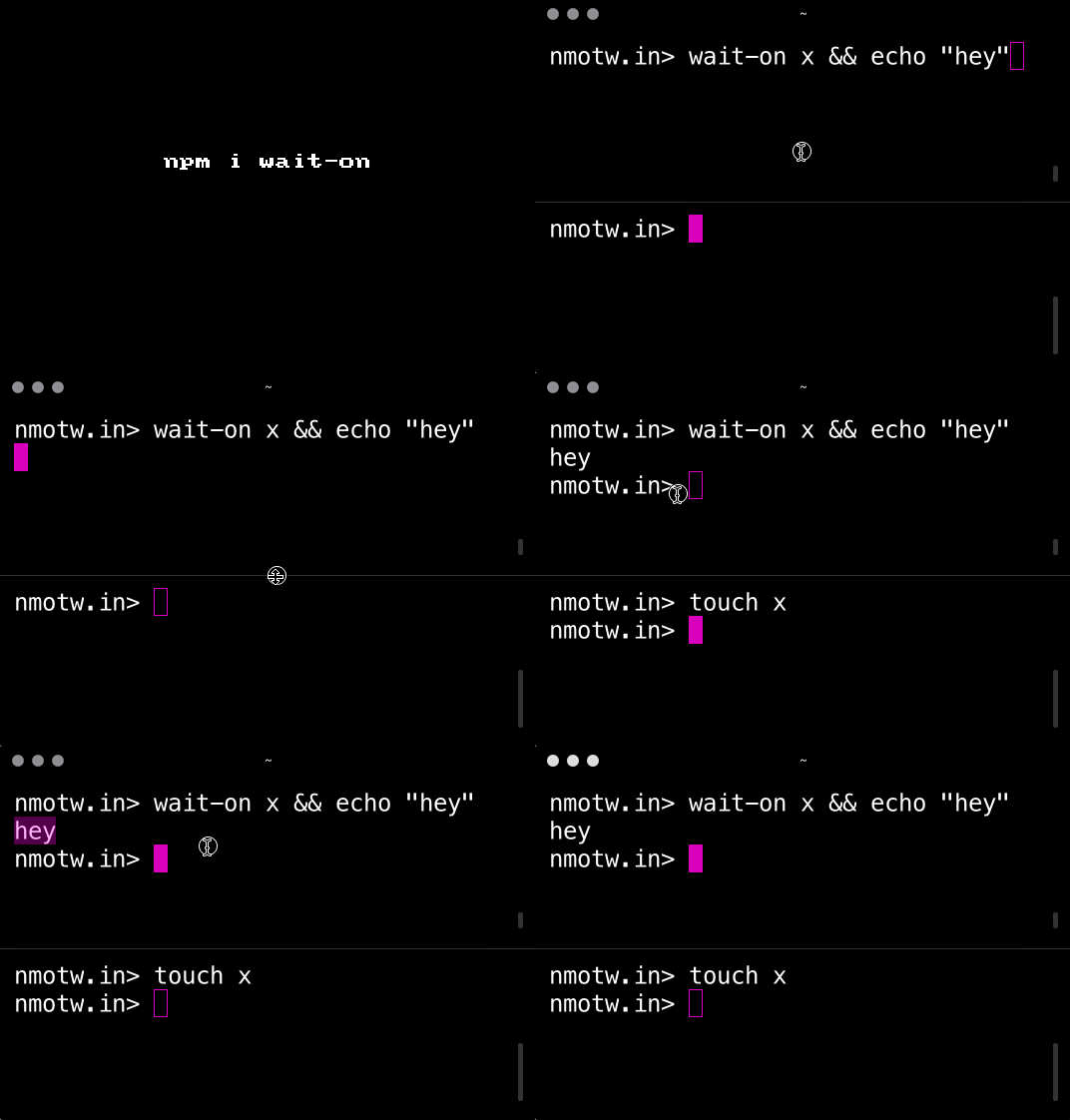
wait-on is a cross-platform command line and API utility which will wait for files, ports, sockets, and http(s) resources to become available (or not available using reverse mode).

Get it: npm install [-g] wait-on

Sample usage:

1
2
3
4
5
6
7
8
9
10
11
12
13
14
15
16
17
18
19
wait-on file1 && NEXT_CMD # wait for file1, then exec NEXT_CMD 

wait-on f1 f2 && NEXT_CMD # wait for both f1 and f2, the exec NEXT_CMD 

wait-on http://localhost:8000/foo && NEXT_CMD # wait for http 2XX HEAD 

wait-on https://myserver/foo && NEXT_CMD # wait for https 2XX HEAD 

wait-on http-get://localhost:8000/foo && NEXT_CMD # wait for http 2XX GET 

wait-on https-get://myserver/foo && NEXT_CMD # wait for https 2XX GET 

wait-on tcp:4000 && NEXT_CMD # wait for service to listen on a TCP port

wait-on socket:/path/mysock # wait for service to listen on domain socket 

wait-on http://unix:/var/SOCKPATH:/a/foo # wait for http HEAD on domain socket 

wait-on http-get://unix:/var/SOCKPATH:/a/foo # wait for http GET on domain socket 
1
2
3
4
5
6
try {
  await waitOn(opts);
  // once here, all resources are available
} catch (err) {
  handleError(err);
}

GIF FTW!

wait-on

Zxcvbn

zxcvbn

Password strength estimator!

zxcvbn is a uniq module through pattern matching and conservative estimation recognizes and weighs 30k common passwords helps us to estimate various parameters related to the strength of the password and also gives us the suggestion to improve the password.

Get it: npm install zxcvbn

__Sample

1
2
3
4
5
6
7
8
9
10
11
12
13
14
15
16
17
18
19
20
21
22
23
24
25
26
27
28
29
30
31
32
33
34
35
36
37
38
39
40
41
42
43
44
45
46
47
48
49
50
51
52
53
54
55
56
57
58
59
60
61
62
63
64
65
66
67
const zxcvbn = require('zxcvbn');

zxcvbn('Tr0ub4dour&3');

// ^ Would return an object like below:

/*

{
  "password": "Tr0ub4dour&3",
  "guesses": 19058000,
  "guesses_log10": 7.280077322611945,
  "sequence": [
    {
      "pattern": "dictionary",
      "i": 0,
      "j": 9,
      "token": "Tr0ub4dour",
      "matched_word": "troubadour",
      "rank": 11905,
      "dictionary_name": "us_tv_and_film",
      "reversed": false,
      "l33t": true,
      "sub": {
        "0": "o",
        "4": "a"
      },
      "sub_display": "0 -> o, 4 -> a",
      "base_guesses": 11905,
      "uppercase_variations": 2,
      "l33t_variations": 4,
      "guesses": 95240,
      "guesses_log10": 4.978819386732842
    },
    {
      "pattern": "bruteforce",
      "token": "&3",
      "i": 10,
      "j": 11,
      "guesses": 100,
      "guesses_log10": 2
    }
  ],
  "calc_time": 2,
  "crack_times_seconds": {
    "online_throttling_100_per_hour": 686088000,
    "online_no_throttling_10_per_second": 1905800,
    "offline_slow_hashing_1e4_per_second": 1905.8,
    "offline_fast_hashing_1e10_per_second": 0.0019058
  },
  "crack_times_display": {
    "online_throttling_100_per_hour": "21 years",
    "online_no_throttling_10_per_second": "22 days",
    "offline_slow_hashing_1e4_per_second": "32 minutes",
    "offline_fast_hashing_1e10_per_second": "less than a second"
  },
  "score": 2,
  "feedback": {
    "warning": "",
    "suggestions": [
      "Add another word or two. Uncommon words are better.",
      "Capitalization doesn't help very much",
      "Predictable substitutions like '@' instead of 'a' don't help very much"
    ]
  }
}
*/

GIF FTW!

zxcvbn

Store

store

Cross-browser storage for all use cases!

store provides basic key/value storage functionality (get/set/remove/each) as well as a rich set of plug-in storages and extra functionality.

Get it: npm install store

Sample usage:

1
2
3
const store = require('store')
store.set('site', { name:'nmotw.in' })
store.get('user').name == 'nmotw.in'
1
2
3
4
5
6
7
8
9
10
// Example custom storage
var storage = {
  name: 'myStorage',
  read: function(key) { ... },
  write: function(key, value) { ... },
  each: function(fn) { ... },
  remove: function(key) { ... },
  clearAll: function() { ... }
}
var store = require('store').createStore(storage)

One could use memoryStorage or localStorage.

GIF FTW!

store

Tornis

tornis

Store for your viewport.

tornis a cheeky module with just 300 lines of code, enables us to track:

  • Mouse position
  • Mouse cursor velocity
  • Viewport size
  • Scroll position
  • Scroll velocity

Device orientation is under contruction, this can be thought as a store to your viewport, with state like:

1
2
3
4
5
6
7
8
9
10
11
12
13
14
15
16
17
18
19
20
21
22
23
24
25
26
27
28
{
  scroll: {
    changed: Boolean,
    left: Integer,
    right: Integer,
    top: Integer,
    bottom: Integer,
    velocity: {
      x: Integer,
      y: Integer
    }
  },
  size: {
    changed: Boolean
    x: Integer,
    y: Integer,
    docY: Integer
  },
  mouse: {
    changed: Boolean,
    x: Integer
    y: Integer
    velocity: {
      x: Integer
      y: Integer
    }
  }
}

Get it: npm install tornis

Sample usage:

1
2
3
4
5
6
7
8
9
10
11
12
13
14
15
16
17
18
19
20
21
22
23
24
25
26
27
28
29
30
31
32
33
34
35
// From robb0wen/tornis
// import the Tornis store functions
import {
  watchViewport,
  unwatchViewport,
  getViewportState
} from 'tornis';

// define a watched function, to be run on each update
const updateValues = ({ size, scroll, mouse, orientation }) => {
  if (size.changed) {
    // do something related to size
  }

  if (scroll.changed) {
    // do something related to scroll position or velocity
  }

  if (mouse.changed) {
    // do something related to mouse position or velocity
  }
};

// bind the watch function
// By default this will run the function as it is added to the watch list
watchViewport(updateValues);

// to bind the watch function without calling it
watchViewport(updateValues, false);

// when you want to stop updating
unwatchViewport(updateValues);

// to get a snapshot of the current viewport state
const state = getViewportState();

GIF FTW!

tornis

Dinoql

dinoql

Query JS objects in GraphQL style!

dinoql provides GraphQL syntax for safe access of objects with aliases support, default resolvers fragments, variables and caching support and is highly customizable.

Get it: npm install dinoql

Sample usage:

1
2
3
4
5
6
7
8
9
10
11
12
13
14
15
16
17
18
19
20
const dinoql = require('dinoql');

const data = {
  users: [{
    name: 'Victor Igor',
    id: "100",
    age: 18
  }, {
    name: 'Paul Gilbert',
    id: "200",
    age: 35
  }],  
};

dinoql(data)`
users(id: "200") {
    name
  }
`
// ^^ {users: [{name: 'Paul Gilbert'}]}

GIF FTW!

dinoql-demo