Sentencer

sentencer

Templating engine for madlibs-style sentence generating.

Create crazy sentences with nouns, adjectives and your own randomness!

Sentencer was written for and powers Metaphorpsum. The noun and adjective lists for form -> Word Lists for Writers.

Install it: npm install sentencer --save

Sample usage:

1
2
3
4
5
6
7
8
9
10
11
12
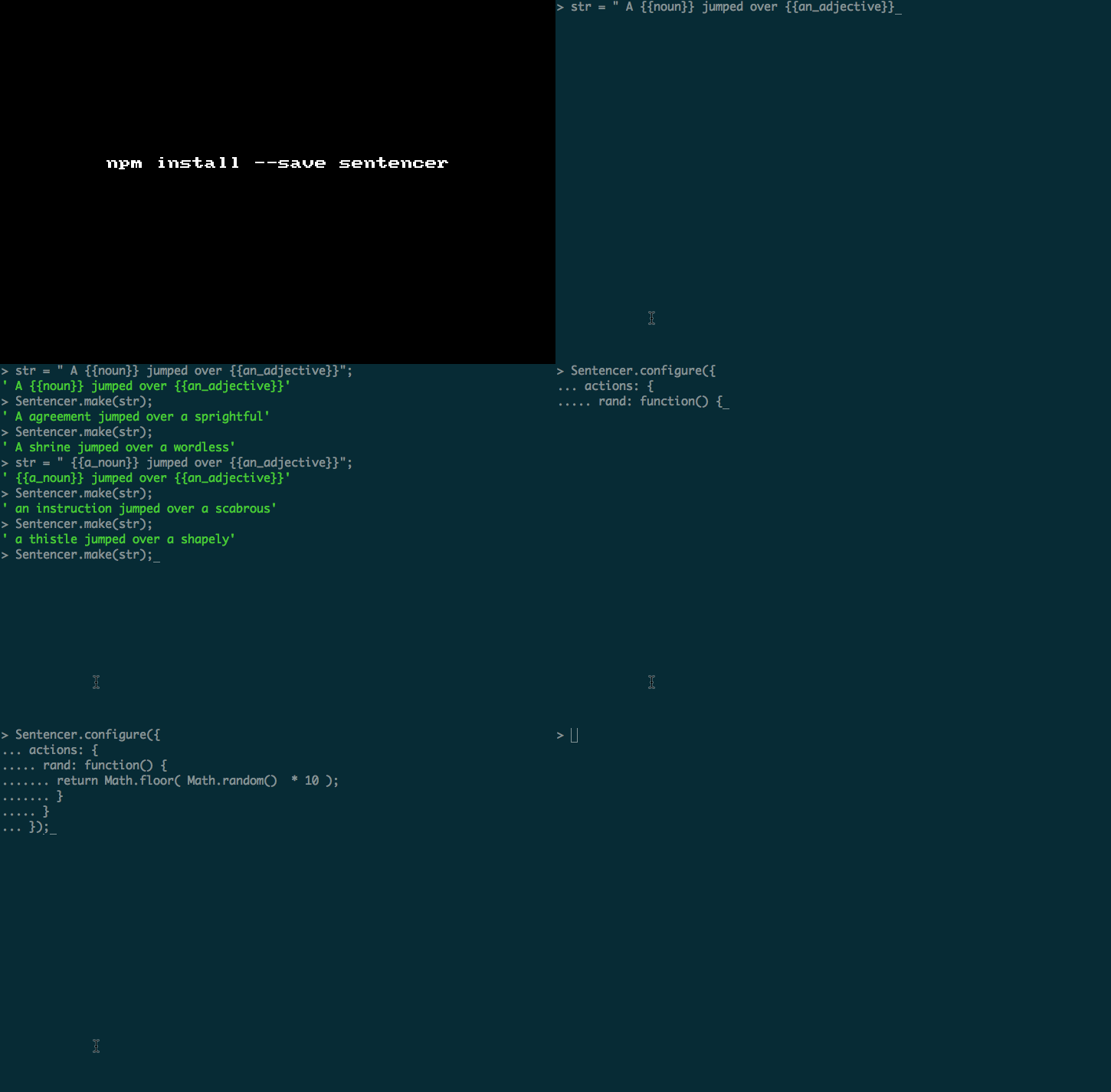
const Sentencer = require('sentencer');

let str = " A  jumped over ";

Sentencer.make(str); //' A agreement jumped over a sprightful'

Sentencer.make(str); // ' A shrine jumped over a wordless'

str = "  jumped over ";

Sentencer.make(str); // ' an instruction jumped over a scabrous'
Sentencer.make(str); // ' a thistle jumped over a shapely'

Define custom actions:

1
2
3
4
5
6
7
8
9
Sentencer.configure({
  actions: {
    rand: function() {
      return Math.floor( Math.random()  * 10 );
    }
  }
});

Sentencer.make("I like "); // 'I like 7'

GIF FTW:

sentencer

Thanks to @kylestetz for this fun module! (:
Dehumanize-date

dehumanize-date

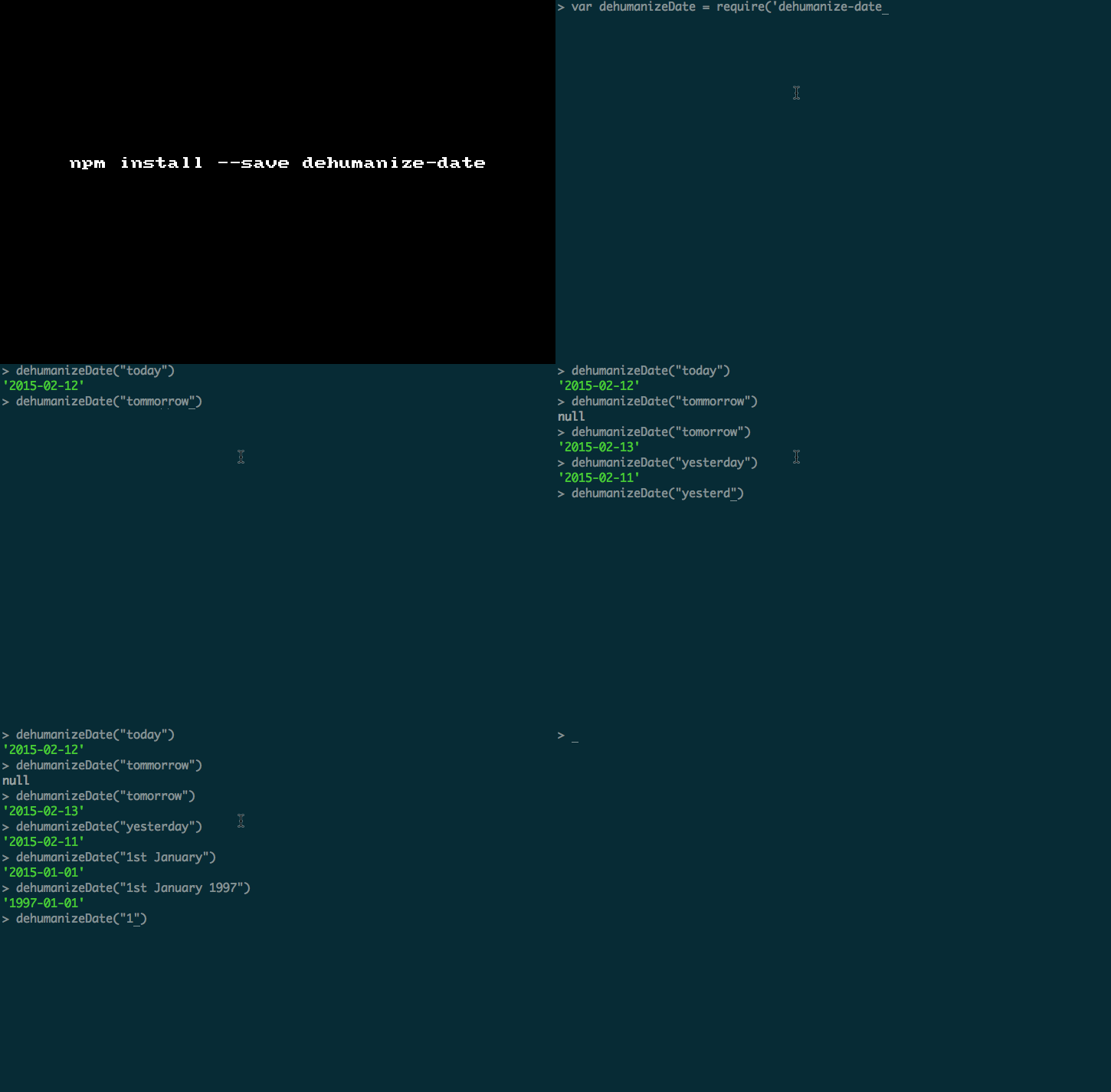
Parse dates in all the formats humans like to use.

Yes, it dehumanize dates will almost all the formates humans like to use, those invovle:

  • today/tomorrow/yesterday
  • next/this/last Wednesday
  • 12th January
  • 12th January 1950
  • 09-08-2008
  • 2008-08-09

And returns a computer friendly date of the format: yyyy-dd-mm

The heart of the module consists of the below regular expressions:

1
2
3
4
5
6
7
var NUMBER              = /^[0-9]+$/;
var NUMBER_WITH_ORDINAL = /^([0-9]+)(st|nd|rd|th)?$/;
var NUMBER_DATE         = /^(3[0-1]|[1-2][0-9]|0?[1-9])[,\|\\\/\-\. ]+(1[0-2]|0?[1-9])[,\|\\\/\-\. ]+([0-9]{4})$/;
var NUMBER_DATE_USA     = /^(1[0-2]|0?[1-9])[,\|\\\/\-\. ]+(3[0-1]|[1-2][0-9]|0?[1-9])[,\|\\\/\-\. ]+([0-9]{4})$/;
var NUMBER_DATE_SHORT_YEAR         = /^(3[0-1]|[1-2][0-9]|0?[1-9])[,\|\\\/\-\. ]+(1[0-2]|0?[1-9])[,\|\\\/\-\. ]+([0-9]{2})$/;
var NUMBER_DATE_SHORT_YEAR_USA     = /^(1[0-2]|0?[1-9])[,\|\\\/\-\. ]+(3[0-1]|[1-2][0-9]|0?[1-9])[,\|\\\/\-\. ]+([0-9]{2})$/;
var ISO_8601_DATE       = /^([0-9]{4})-?(1[0-2]|0?[1-9])-?(3[0-1]|[1-2][0-9]|0?[1-9])$/;

Sample usage:

1
2
3
4
5
6
7
8
9
10
11
12
13
14
15
16
17
18
19
20
21
22
23
24
25
26
27
28
29
30
31
32
33
34
35
36
> var dehumanizeDate = require('dehumanize-date');

> dehumanizeDate
{ [Function: parse]
  parseNearbyDays: [Function: parseNearbyDays],
  parseLastThisNext: [Function: parseLastThisNext],
  parseNumberDate: [Function: parseNumberDate],
  parseNumberDateShortYear: [Function: parseNumberDateShortYear],
  parseWordyDate: [Function: parseWordyDate],
  monthFromName: [Function: monthFromName],
  date: [Function: date] }


> dehumanizeDate("today")
'2015-02-12'

> dehumanizeDate("tommorrow") // In case it does not match any.
null

> dehumanizeDate("tomorrow")
'2015-02-13'

> dehumanizeDate("yesterday")
'2015-02-11'

> dehumanizeDate("1st January")
'2015-01-01'

> dehumanizeDate("1st January 1997")
'1997-01-01'

> dehumanizeDate("09-09-2009")
'2009-09-09'

> dehumanizeDate("2009-09-09")
'2009-09-09'

GIF FTW!

dehumanize-date

Thanks for Forbes Lindesay for dehumanizing dates ;)

Objectmap

mapobject

Use a ES6 map, like an object.

This module is one of those rare hidden gems in npm, it's already a year old, it makes uses of ES6 reflect API with proxy to make give us a convience method so that maps can be used like an Object.

What other advantages apart from syntax sugar?

  • Iterate it like a regular object with (for in) without worrying about hasOwnProperty checks.

  • Iterate it (for of) you will get arrays of length 2 of both keys and values.

Install it: npm install --save objectmap

Sample usage:

1
2
3
4
5
6
7
8
9
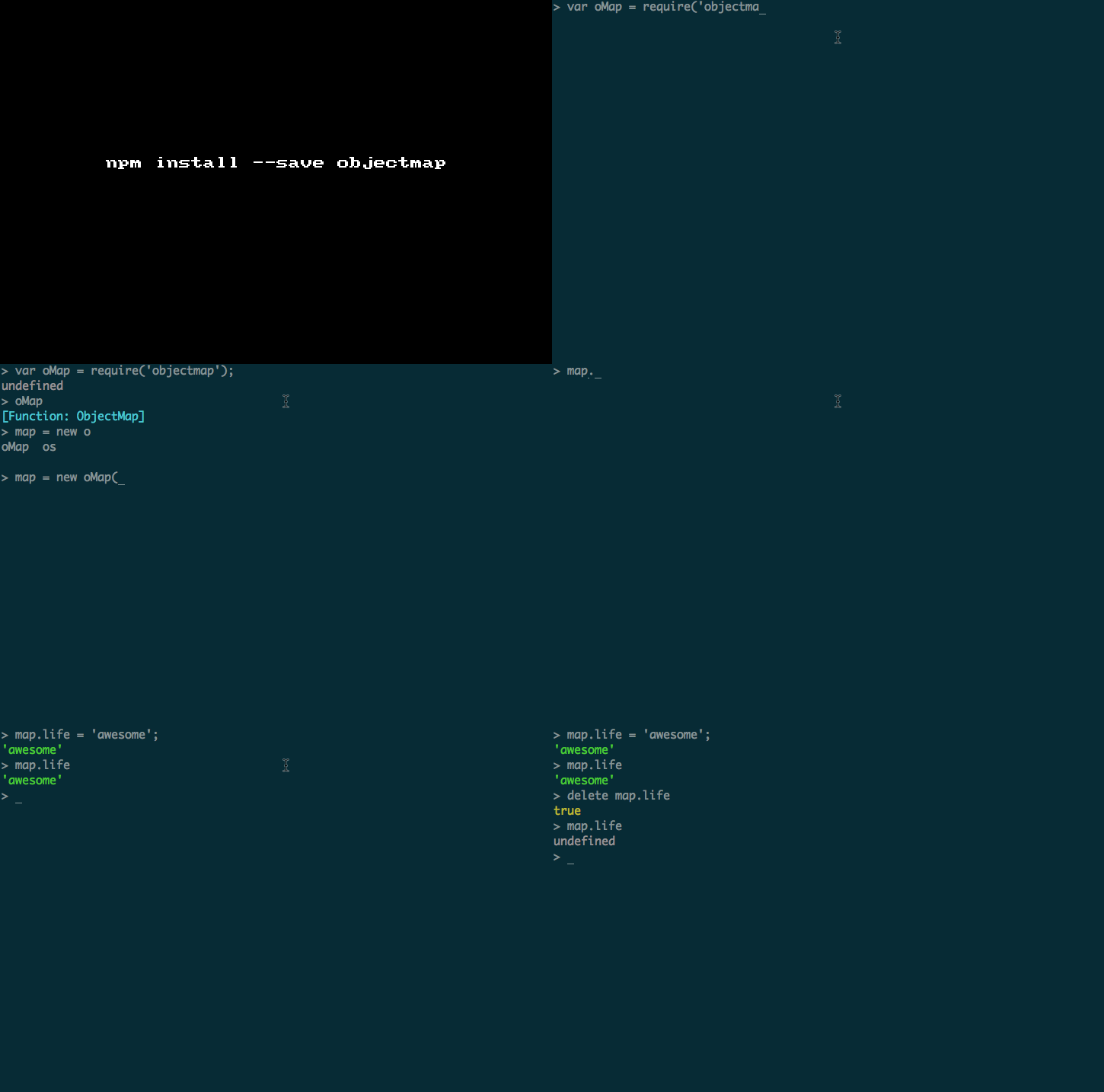
var oMap = require('objectmap');

var map = oMap();

map.answer = 42; // Same as `map.set('answer',42);`

map.answer; // Same as `map.get('abc');`

delete map.abc; // Same as `map.delete('abc');`

Caveat: map[3] implies map.set('3') not map.set(3)

GIF FTW!

Thanks to Calvin for this useful util :)

Node-rules

node-rules

Business Rules Engine for JavaScript.

node-rules is a module of it's own kind, it's a light weight forward chaining Rule Engine!

Install it: npm install --save node-rules

Usage:

It's a three step process, to get the engine running:

  • Defining a Rule.

  • Defining a Fact.

  • Initialize the rules engine and execute the rule.

Create a rule:

1
2
3
4
5
6
7
8
9
10
11
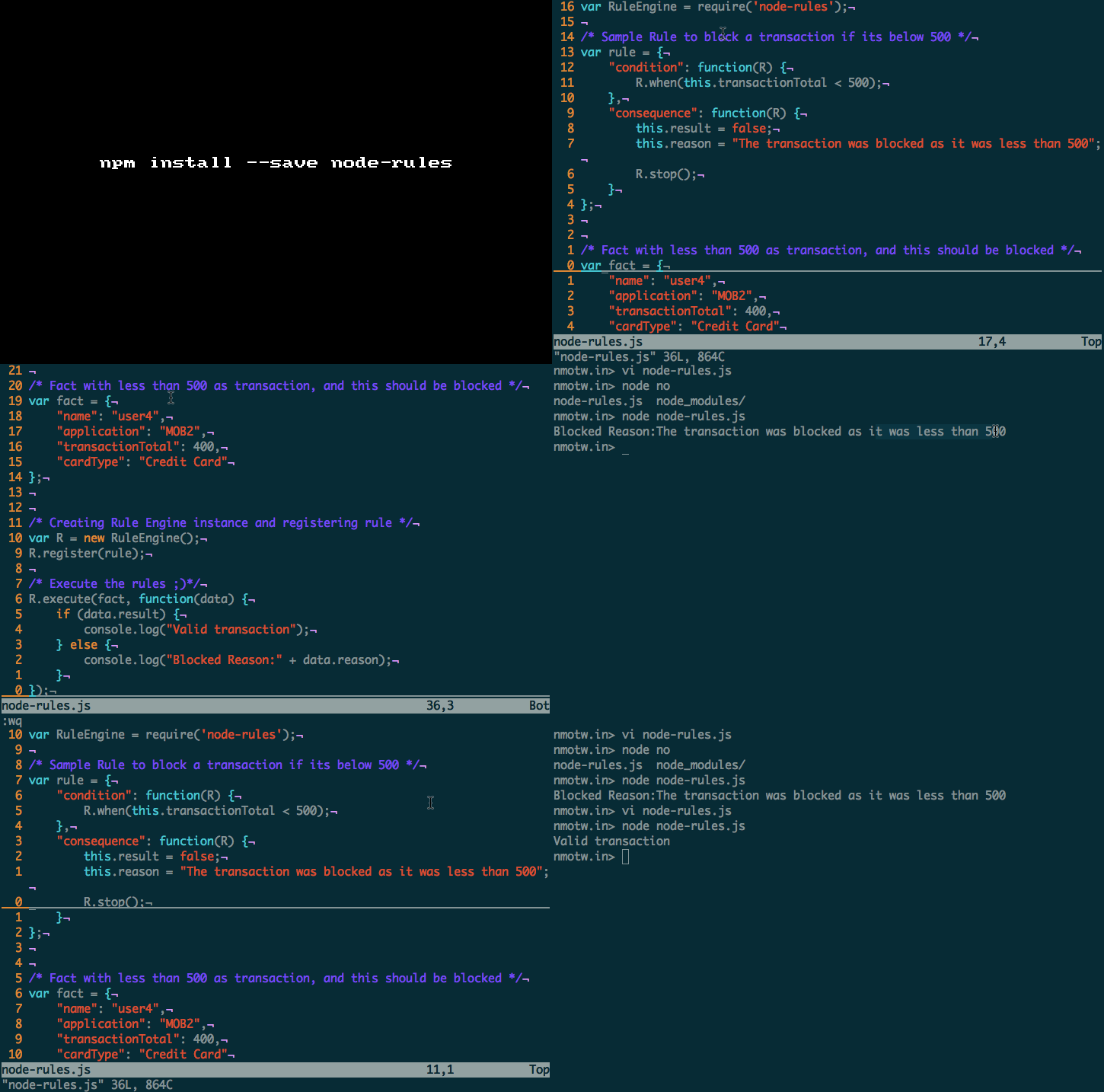
/* Sample Rule to block a transaction if its below 500 */
var rule = {
    "condition": function(R) {
        R.when(this.transactionTotal < 500);
    },
    "consequence": function(R) {
        this.result = false;
        this.reason = "The transaction was blocked as it was less than 500";
        R.stop();
    }
};

Create a fact:

1
2
3
4
5
6
7
/* Fact with less than 500 as transaction, and this should be blocked */
var fact = {
    "name": "user4",
    "application": "MOB2",
    "transactionTotal": 400,
    "cardType": "Credit Card"
};

Initialize the rules engine:

1
2
3
/* Creating Rule Engine instance and registering rule */
var R = new RuleEngine();
R.register(rule);

Execute the rule:

1
2
3
4
5
6
7
R.execute(fact, function(data) {
    if (data.result) {
        console.log("Valid transaction");
    } else {
        console.log("Blocked Reason:" + data.reason);
    }
});

GIF FTW!

Thanks to Mithun Satheesh for this adventurous module.

Nsp

nsp aka: Node Security Project

Check if your Node.js projects are using packages with known and public vulnerable dependencies, using NSP DB.

Install it: npm install -g nsp

Usage:

1
2
3
4
5
6
7
8
9
10
11
12
13
14
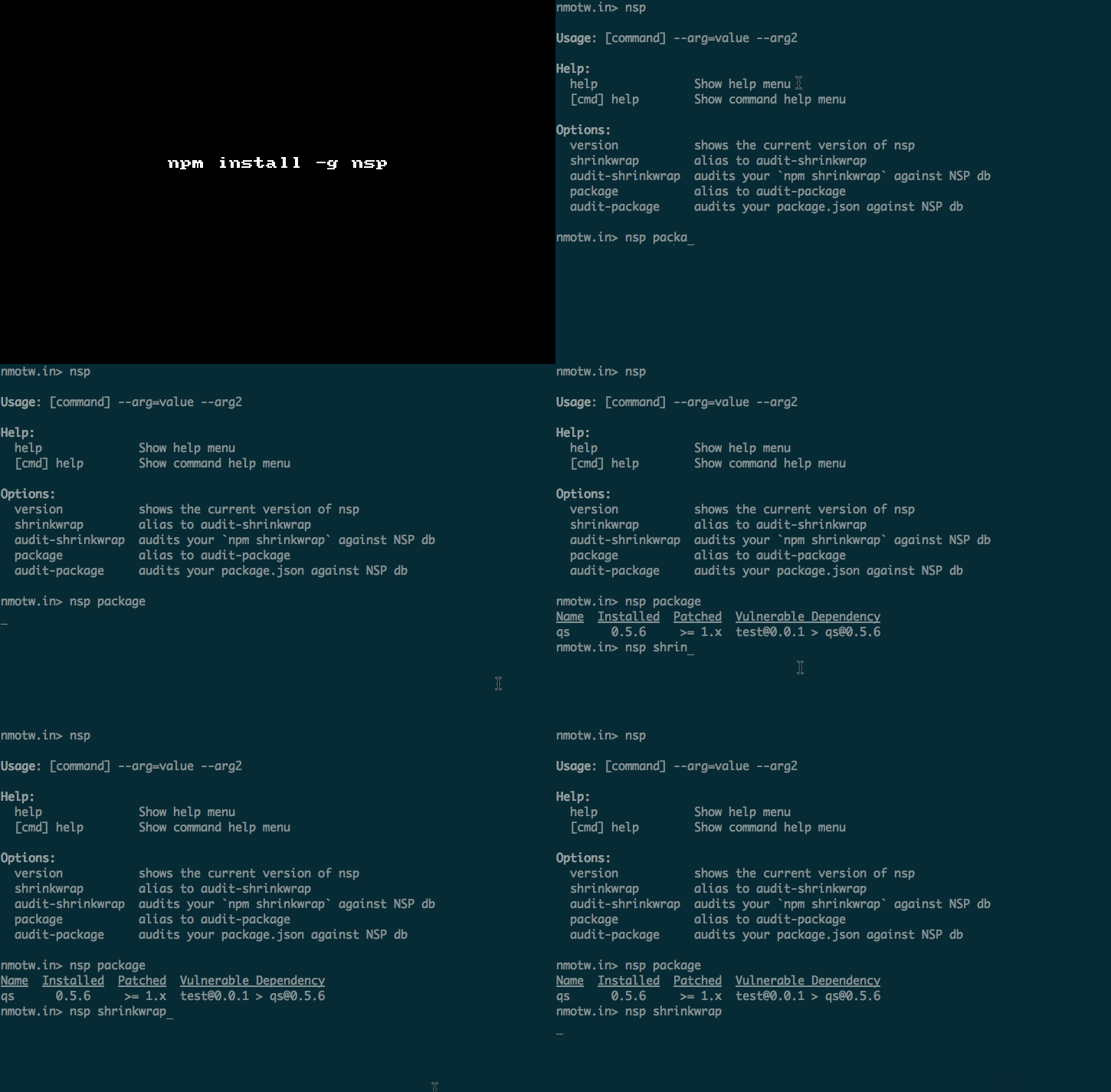
nmotw.in> nsp

Usage: [command] --arg=value --arg2

Help:
  help              Show help menu
  [cmd] help        Show command help menu

Options:
  version           shows the current version of nsp
  shrinkwrap        alias to audit-shrinkwrap
  audit-shrinkwrap  audits your `npm shrinkwrap` against NSP db
  package           alias to audit-package
  audit-package     audits your package.json against NSP db
1
2
3
4
5
6
7
8
9
10
11
12
13
14
15
nmotw.in> cat package.json
{
  "name": "test",
  "version": "0.0.1",
  "author": "Node Security Project",
  "dependencies": {
    "node-print": "0.0.4",
    "request": "^2.40.0",
    "qs": "^0.5"
  }
}

nmotw.in> nsp package
Name  Installed  Patched  Vulnerable Dependency
qs      0.5.6     >= 1.x  test@0.0.1 > [email protected]

The same can be used for auditing shrinkwrap.

GIF FTW!

nsp

Thanks to the nodesecurity for making security easy!

Isomorphic-fetch

isomorphic-fetch

Isomorphic WHATWG Fetch API, for Node & Browserify

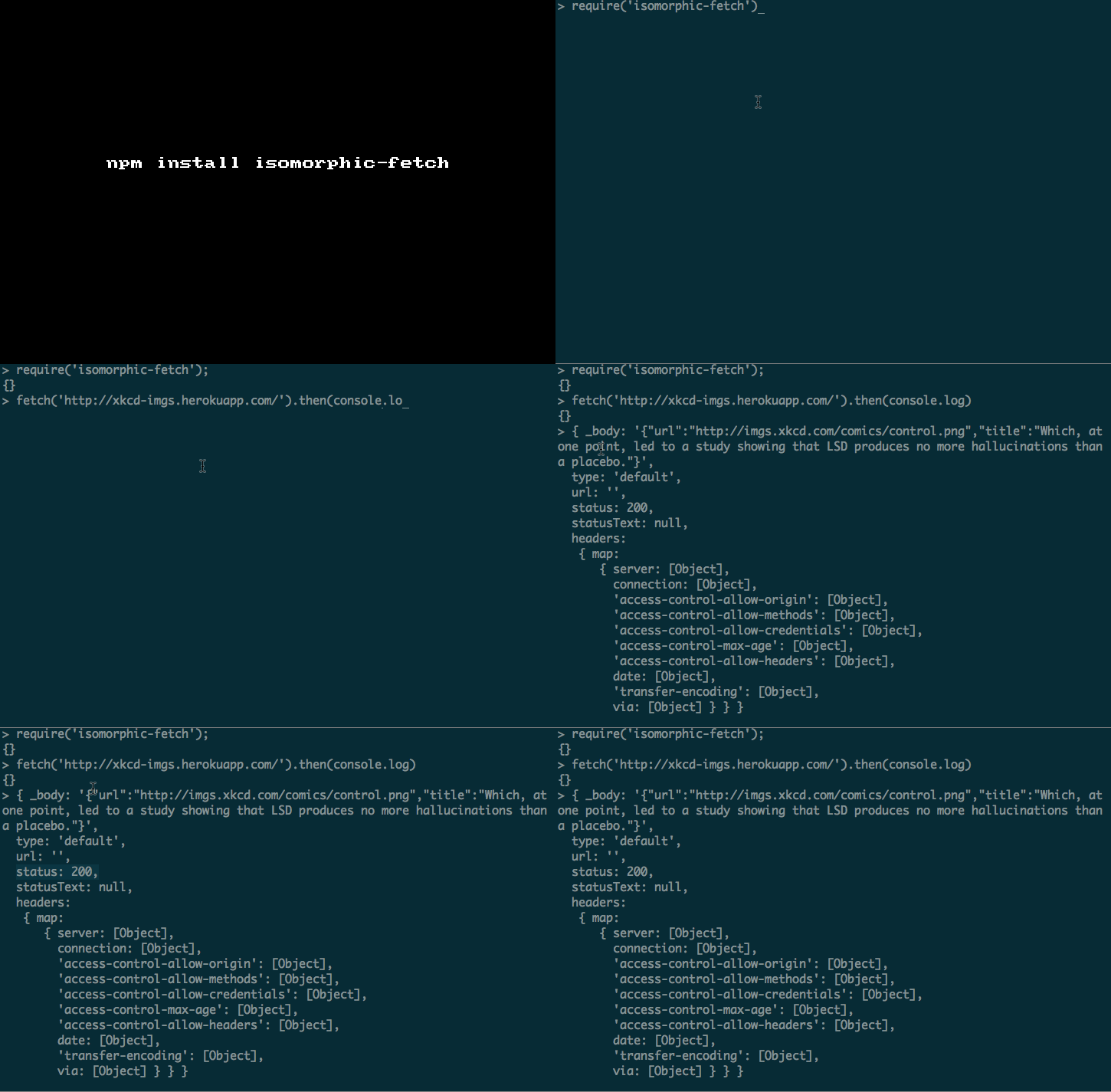
fetch from GitHub makes it easier to make web requests and handle responses than using an XMLHttpRequest. This polyfill is written as closely as possible to the standard Fetch specification.

Well, fetch was in the nmotw queue for quite some time now, but this week seems to be special as FF nightly and Chrome canary rolled out this API ;)

Install it: npm install isomorphic-fetch

Sample usage:

1
2
3
4
5
6
7
8
9
10
11
12
// Fetch random XKCD comic.

require('isomorphic-fetch');

fetch('http://xkcd-imgs.herokuapp.com/')
    .then(function(response) {
        return response.json();
    }).then(function(res) {
        console.log(res)
    }).catch(function(ex) {
        console.log('failed', ex)
    });

Would log something like:

1
2
{ url: 'http://imgs.xkcd.com/comics/wikifriends.png',
  title: 'It\'s crazy how much my gut opinion of a movie/song is swayed by what other people say, regardless of how I felt coming out of the theater.' }

GIF FTW!

isomorphic-fetch

Thanks to Matt Andrews for isomorphic-fetch (:

Safe-json-parse

safe-json-parse

Parse JSON safely without throwing.

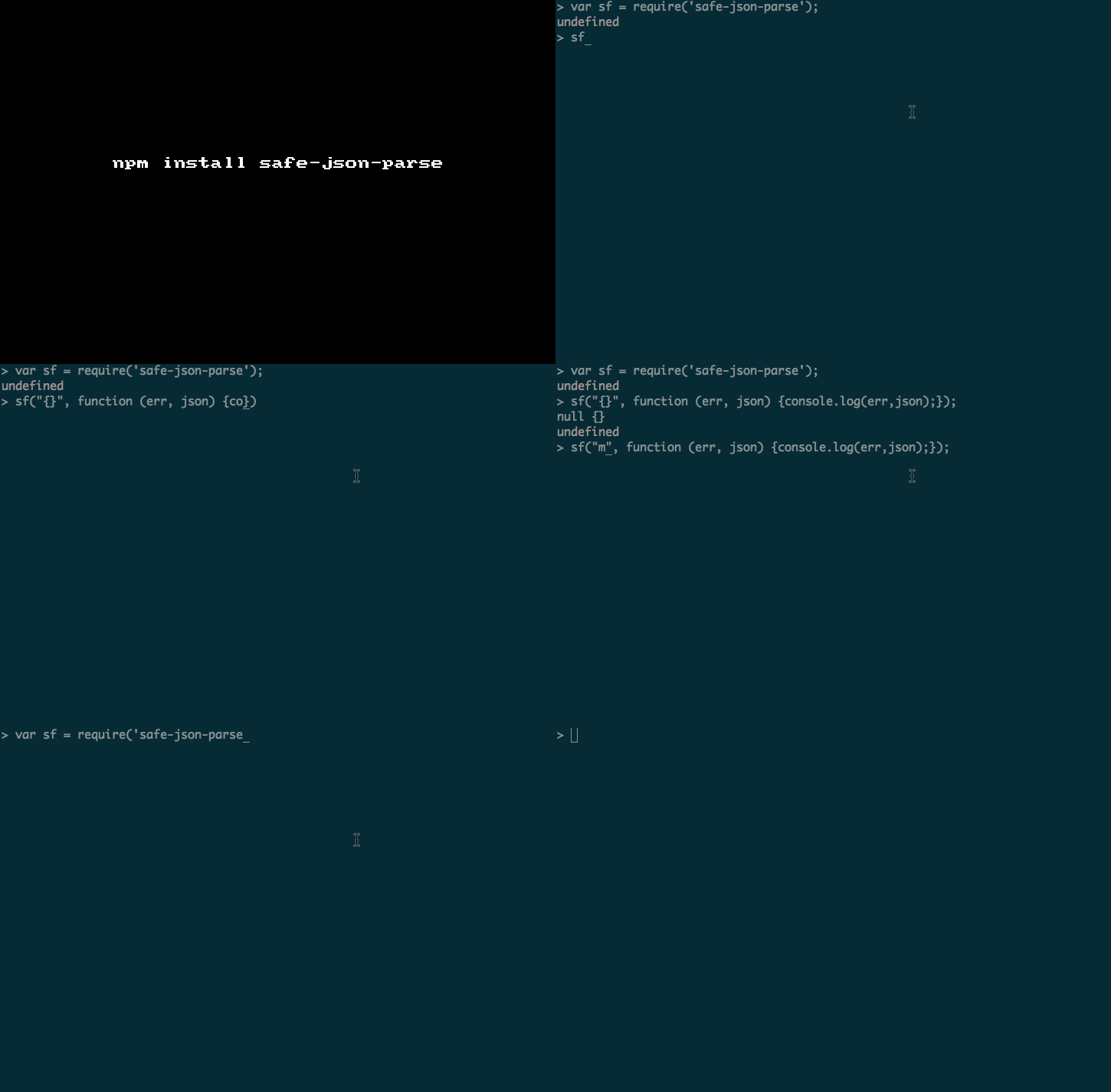
Sweet, simple and effictive module for parsing JSON safely :)

Get it: npm install safe-json-parse --save

Sample usage:

With callback:

1
2
3
4
5
6
7
> var sf = require('safe-json-parse');

> sf("{}", function (err, json) {console.log(err,json);});
null {}

> sf("meow", function (err, json) {console.log(err,json);});
[SyntaxError: Unexpected token m] undefined

As Tuples:

1
2
3
4
5
> var sf = require('safe-json-parse/tuple');
> sf({})
[ [SyntaxError: Unexpected token o], undefined ]
> sf("{}")
[ null, {} ]

GIF FTW!

safe-json-parse

Thanks to Raynos for helping us with safely parsing JSONs ;)

Css-explain

css-explain

Think of it like SQL EXPLAIN, but for CSS selectors.

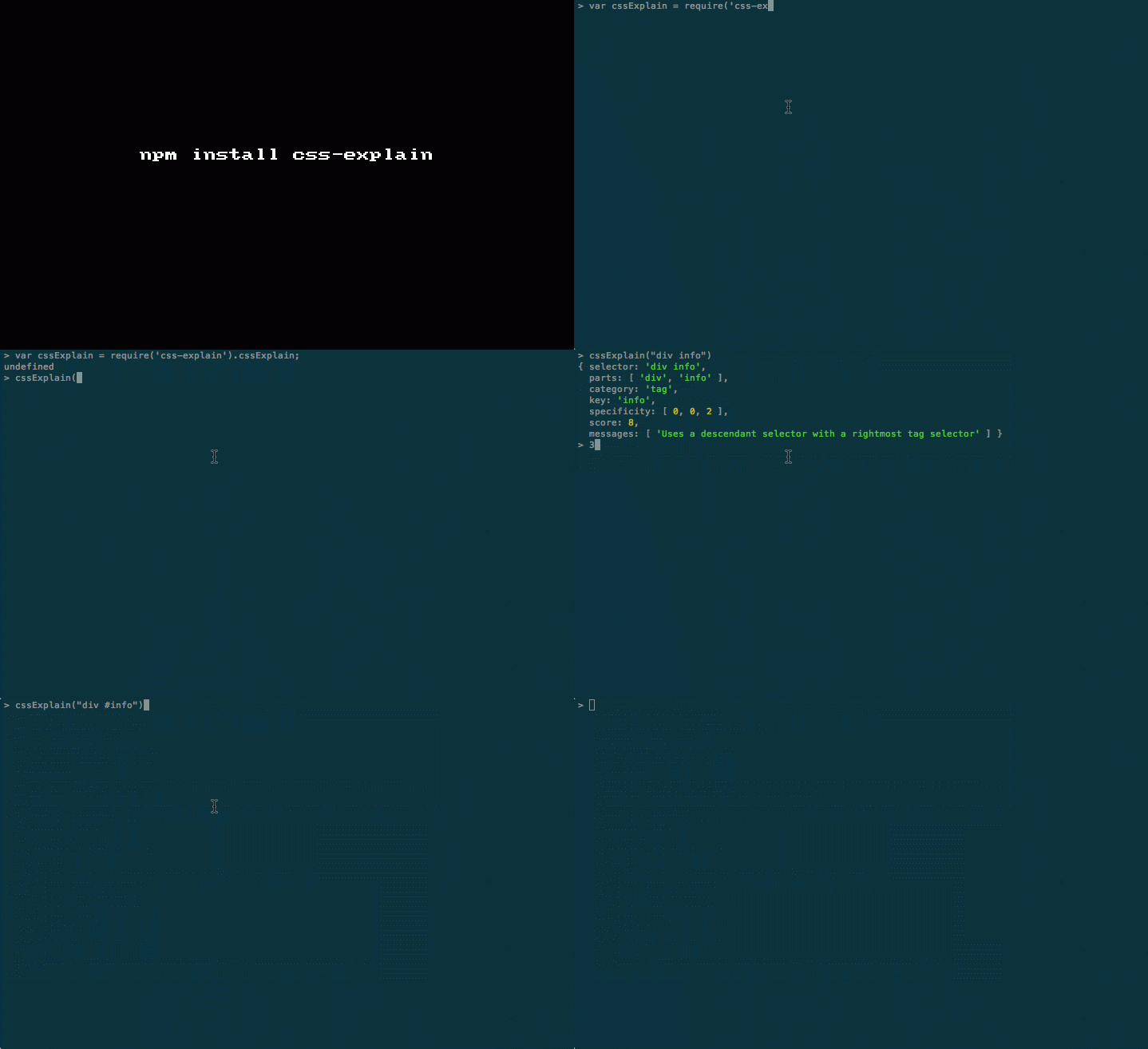
css-explain is one of such rare modules that helps us to learn or explain CSS selectors with ease.

Get it: npm install css-explain

Sample usage:

1
2
3
4
5
6
7
8
9
10
11
12
13
14
15
16
17
18
19
20
21
22
23
24
25
26
27
28
29
30
> var cssExplain = require('css-explain').cssExplain

> cssExplain("div .info")
{ selector: 'div .info',
  parts: [ 'div', '.info' ],
  category: 'class',
  key: 'info',
  specificity: [ 0, 1, 1 ],
  score: 6,
  messages: [ 'Uses a descendant selector with a rightmost class selector' ] }

> cssExplain("div#info")
{ selector: 'div#info',
  parts: [ 'div#info' ],
  category: 'id',
  key: 'info',
  specificity: [ 1, 0, 1 ],
  score: 2,
  messages: [ 'ID is overly qualified by a tag name' ] }

> cssExplain("div > p#info")
{ selector: 'div > p#info',
  parts: [ 'div', '>', 'p#info' ],
  category: 'id',
  key: 'info',
  specificity: [ 1, 0, 2 ],
  score: 3,
  messages:
   [ 'ID is overly qualified by a tag name',
     'ID is overly qualified by a child selector' ] }

GIF FTW!

css-explain

Thanks to Joshua Peek for css-explain, do checkout the webbased app of the same.

Printf

printf

Full implementation of the printf/sprintf family in pure JS.

            _       _    __ 
           (_)     | |  / _|
 _ __  _ __ _ _ __ | |_| |_ 
| '_ \| '__| | '_ \| __|  _|
| |_) | |  | | | | | |_| |
| .__/|_|  |_|_| |_|\__|_|
| |
|_|

Get it: npm install printf

Sample usage:

1
2
3
var printf = require('printf');
var result = printf(format, args...);
printf(write_stream, format, args...);

Flags:

  • (space)

  • +

  • -

  • 0

Features:

  • Width / precision => %2f

  • Numerical bases => %c

  • Miscellaneous => %d%%, +%s%+

  • Extra => The %O converter will call util.inspect(...) at the argument, %-*.*f.

GIF FTW!

Thanks to Worms David for printf!

printf('******************%s**************',"Merry Xmas!")

Malarkey

malarkey

Simulate a typewriter/ticker effect on a DOM element.

Even though malarkey means 'meaningless talk; nonsense', this is a sweet module that helps us to simulate typewriter effect on DOM elements.

Install it: npm install --save malarkey

Sample usage:

1
2
3
4
5
6
7
8
9
10
11
12
var elem = document.querySelectorAll('.malarkey')[0];
var opts = {
  typeSpeed: 50,
  deleteSpeed: 50,
  pauseDelay: 2000,
  loop: true,
  postfix: ''
};

malarkey(elem, opts)
.type('Say hello').pause().delete()
.type('Wave goodbye').pause().delete();

API from 1000 feet:

  • malarkey.type

  • malarkey.clear

  • malarkey.pause

  • malarkey.delete

Read more about them in the docs

DEMO:

GIF FTW:

malarkey

P.S: All Web realted modules would need help from browserify or related tools to run on the web.