Omelette

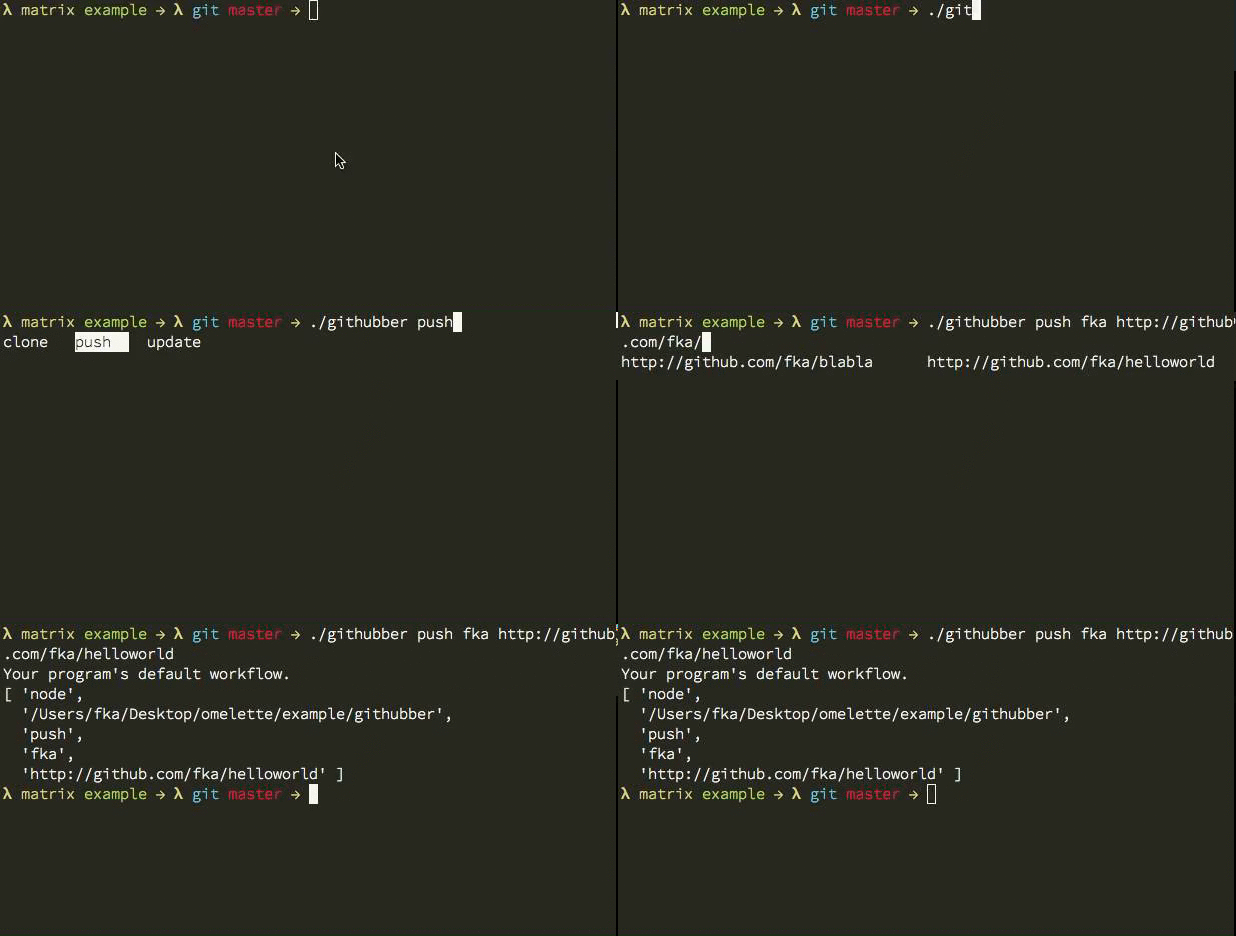
Omelette.js a simple autocompletion helper for node, published by Fatih.

It's a beautifuly crafted coffee code, that takes care of tab completions for your CLI tools.

It's takes care of --compgen, --completion and --compzsh for variations of SHELLs.

Say you need a simple CLI tool to greet user:

1
2
3
4
5
6
7
8
9
10
11
12
13
#!/usr/bin/env node

var comp, omelette;

omelette = require("omelette");

comp = omelette("greeter <user>");

comp.on("user", function() {
  return this.reply(["hello", "cruel", "world"]);
});

comp.init();

Which on user completes "hello", "cruel", "world".

Say you saved the file as greeter all you have do to generator the completion is :

1
$ ./greeter --completion

That would result in the bleow for bash shell:

1
2
3
4
5
6
7
8
9
10
11
12
13
### greet completion - begin. generated by omelette ###
if type compdef &>/dev/null; then
  _greet_complette() {
    compadd -- `greet --compzsh --compgen "${CURRENT}" "${words[CURRENT-1]}" "${BUFFER}"`
  }
  compdef _greet_complette greet
elif type complete &>/dev/null; then
  _greet_complette() {
    COMPREPLY=( $(compgen -W '$(greet --compbash --compgen "${COMP_CWORD}" "${COMP_WORDS[COMP_CWORD-1]}" "${COMP_LINE}")' -- "${COMP_WORDS[COMP_CWORD]}") )
  }
  complete -F _greet_complette greet
fi
### greet completion - end ###

In zsh, you can write these:

echo '. <(./greeter --completion)' >> .zshrc

In bash, you should write:

1
2
./greeter --completion >> ~/greeter.completion.sh
echo 'source ~/greeter.completion.sh' >> .bash_profile

Now you must see tab completion for greeter!

You can also use:

1
2
3
4
5
6
7
8
9
10
11
12
// Listen all fragments by "complete" event

complete.on("complete", function(fragment, word, line) {
  return this.reply(["hello", "world"]);
});


// Listen events by its order.

complete.on("$1", function(word, line) {
  return this.reply(["hello", "world"]);
});

A wonderful GIF by the author:

omelette.gif

Enjoy your tab completions!

Rhyme

Out of all the awesome module that James Halliday A.K.A substack has authored a module named rhyme a rhyming dictionary! This made it to the nmotw list ;)

The module makes use of CMU dictionary's data and picks up pronounce, syllables and plays around lazily to generate rhyming words for a given word.

Example Usage:

1
2
3
4
5
var rhyme = require('rhyme');

rhyme(function(r) {
  console.log(r.rhyme('rhyme').join(' '));
});
1
2
$ node why.js
BEIM CHIME CLIMB CRIME DIME GRIME HAIM HEIM HIME I'M KIME LIME LYME MIME PRIME SEIM SIME SLIME SYME THYME TIME

GIF FTW!

rhyme

Real coders use cat ;)?

Keep rhyming till next week!

block.js

Block.js: Ridiculously simple HTML templating. All it does is replaces "blocks" in your template with a local.

The crux of this module is in these simple lines of code:

1
2
3
4
5
6
7
8
9
10
function replace(string, key, value) {
  return string.replace(
    new RegExp('\\{\\{\\s*' + escapeRegExp(key) + '\\s*\\}\\}', 'g'),
    value || ''
  )
}

function escapeRegExp(str) {
  return str.replace(/([.*+?=^!:${}()|[\]\/\\])/g, '\\$1')
}

The API is also pretty simple:

1
2
3
4
5
var template = Block(html);
//html is a string, and block returns a new templating instance.

template.render(locals);
//locals is an object of "blocks" to replace in the template.

Simple Example:

1
2
3
4
5
6
var block = require('block')
, fs = require('fs')
, tmpl = fs.readFileSync('block.html', 'utf-8')
, data = block(tmpl).render( {content: '<div class="inner"></div>'});

console.log(data);

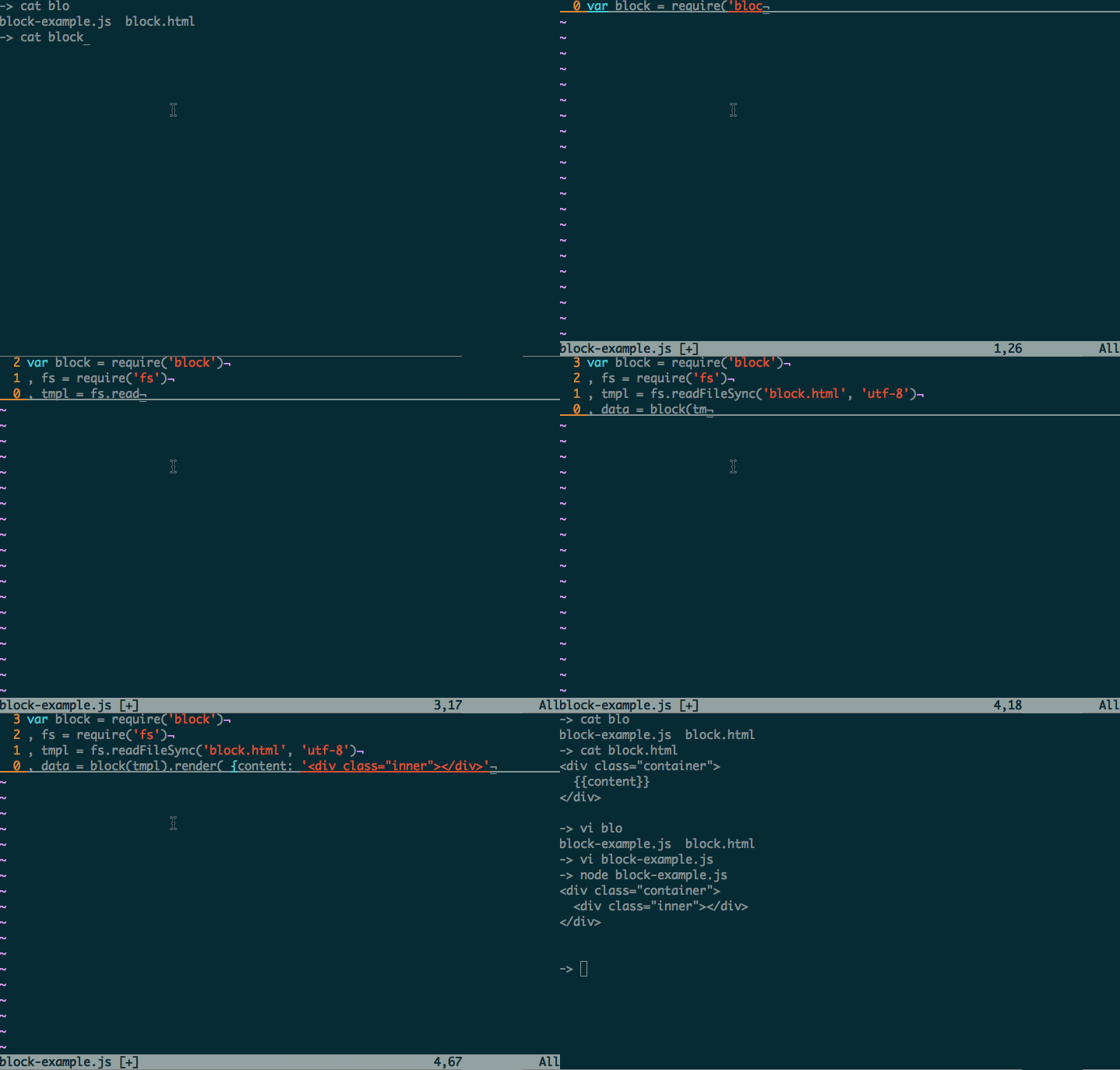
GIF GTW!: block

Hope you liked this simple HTML templating engine! Go ahead and .replace('', string)

Thanks to the author Jonathan Ong.

Json-mask

json-mask Tiny language and engine for selecting specific parts of a JS object, hiding the rest.

The main difference between JSONPath / JSONSelect and this engine is that JSON Mask preserves the structure of the original input object.

It's complier uses a cute grammar syntax:

1
2
3
4
5
 Props ::= Prop | Prop "," Props
   Prop ::= Object | Array
 Object ::= NAME | NAME "/" Object
  Array ::= NAME "(" Props ")"
   NAME ::= ? all visible characters ?

Translating it few examples, that are loosely based on XPath syntax:

  • a,b,c comma-separated list will select multiple fields
  • a/b/c path will select a field from its parent
  • a(b,c) sub-selection will select many fields from a parent
  • a/*/c the star * wildcard will select all items in a field

Example:

1
2
3
4
5
6
7
8
9
10
11
12
13
14
15
> var jmask = require('json-mask');

> var data = {name: {first: 'hemanth', last:'hm'}, age:7}

> jmask(data,'name')
{ name: { first: 'hemanth', last: 'hm' } }

> jmask(data,'name/first')
{ name: { first: 'hemanth' } }

> jmask(data,'name/last')
{ name: { last: 'hm' } }

> jmask(data,'name/first,age')
{ name: { first: 'hemanth' }, age: 7 }

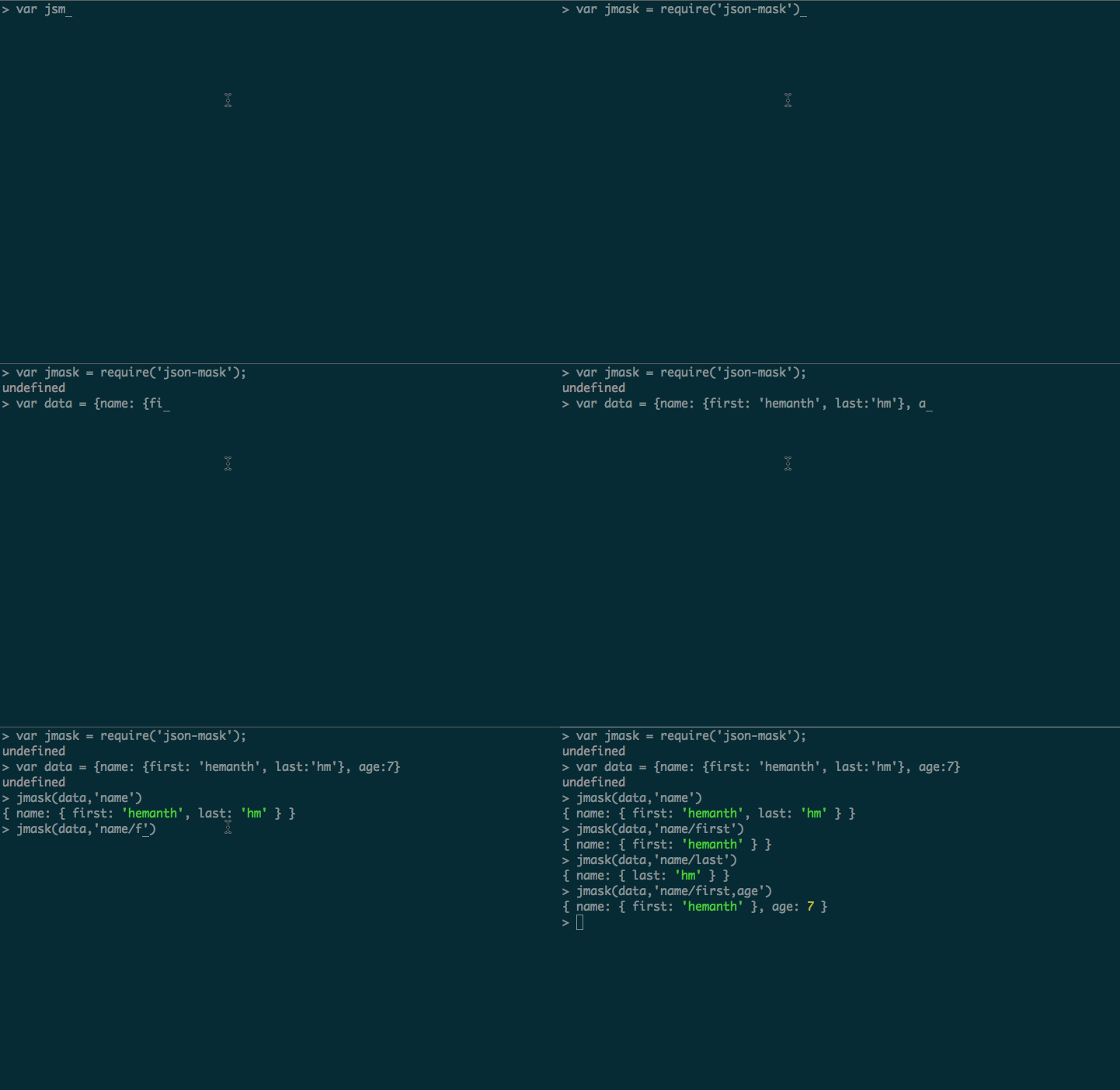
GIF FTW!

json-mask

Special thanks to the author Yuriy Nemtsov for a wonderful module!

Lie-denodify

Even though RSVP provides a denodeify API, lie-denodify's main focus is to turn a node style callback into a promise based one.

lie-denofiy internally uses lie which is a basic but performanent promise implementation.

All it does to convert an async function to a promise based one is to return a promise with the help of lie:

1
2
3
4
5
6
7
8
9
10
11
12
13
14
15
16
17
18
var promise = require('lie');
function denodify(func) {
    return function() {
        var args = Array.prototype.concat.apply([], arguments);
        return promise(function(resolve, reject) {
            args.push(function(err, success) {
                if (err) {
                    reject(err);
                }
                else {
                    resolve(success);
                }
            });
            func.apply(undefined, args);
        });
    };
}
module.exports = denodify;

Installation: npm install lie-denodify

Usage example:

Let's try and covert fs.stat function to a promise!

First of all let's have a look at how fs.stat works before conversion.

1
2
3
4
5
6
7
8
9
10
11
12
13
14
15
16
17
18
19
20
21
22
23
24
25
26
27
28
29
var fstat = require('fs').stat;

fstat('/tmp',function(err,res){
  if(!err){
    console.log(res);
  } else {
      throw new Error(err);
  }
});

/*
Would log something like:
{ dev: 16777217,
  mode: 17407,
  nlink: 14,
  uid: 0,
  gid: 0,
  rdev: 0,
  blksize: 4096,
  ino: 144575596,
  size: 476,
  blocks: 0,
  atime: Thu Apr 10 2014 17:38:18 GMT+0530 (IST),
  mtime: Thu Apr 10 2014 17:51:50 GMT+0530 (IST),
  ctime: Thu Apr 10 2014 17:51:50 GMT+0530 (IST) }
 
 And in case of an Error it would throw an error

*/

Now, let's convert it into a promise:

1
2
3
4
5
var lieDndfy = require('lie-denodify');

var statp = lieDndfy ( require('fs').stat );

statp('/tmp').then(console.log,console.error);

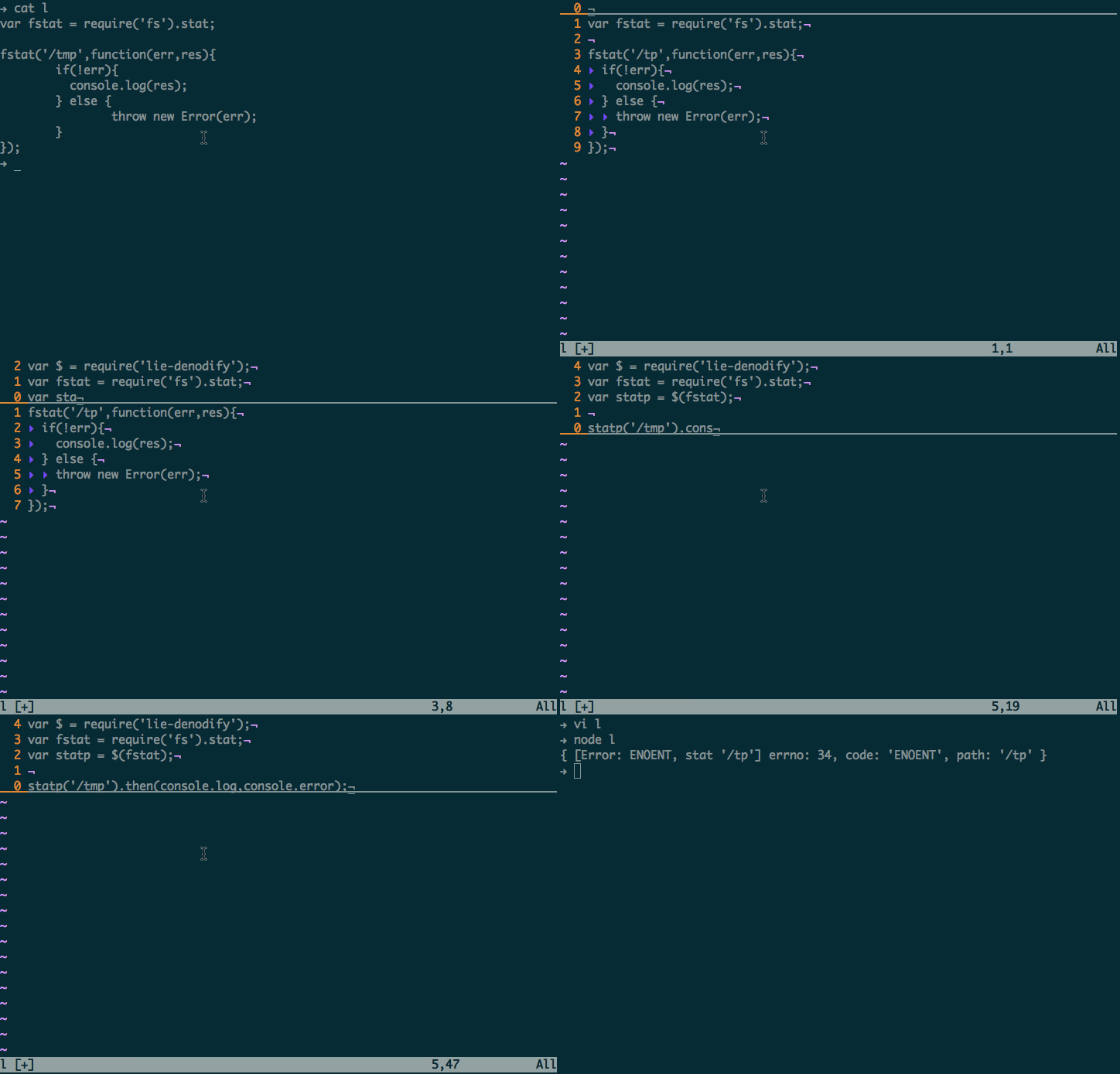
GIF FTW!

lie-denodify

Thanks to Calvin Metcalf the author of lie and lie-denofiy.

Learn to lie this week ;)!

Modmod

"Simplicity is the ultimate sophistication." ― Leonardo da Vinci

Just dig into some node-modules you use or the one you released, how many require statements do you have?

Stephen Sawchuk has made require-ing modules less require-y, with his modmod module!

Installing it is like another other module: npm install modmod

How does it help?

It helps you to reduce:

1
2
3
4
5
var fs = require('fs');
var path = require('path');
var util = require('util');
var chalk = require('chalk');
var wiredep = require('wiredep');

To:

1
var $ = require('modmod')('fs', 'path', 'util', 'chalk', 'wiredep');

It's just eight lines of code that does the magic:

1
2
3
4
5
6
7
8
module.exports = function () {
  var builtinLibs = require('repl')._builtinLibs;
  return [].slice.call(arguments).reduce(function (acc, key) {
    var path = builtinLibs.indexOf(key) > -1 ? key : process.cwd() + '/node_modules/' + key;
    acc[key] = require(path);
    return acc;
  }, {});
};

require('repl')._builtinLibs will give a list of all node buitins, if not in the list, it will look for the node_modules dir in the current working dir and then require the required there by making it less require-y!

Why?

As said by the author:

It's up to you. There's nothing wrong with the current system of multiple var declarations, and having too many isn't a node problem. Regardless, you may still consider it useful to namespace your dependencies under a name of your choosing, such as M or $, freeing up those "global" variables for use without conflicts.

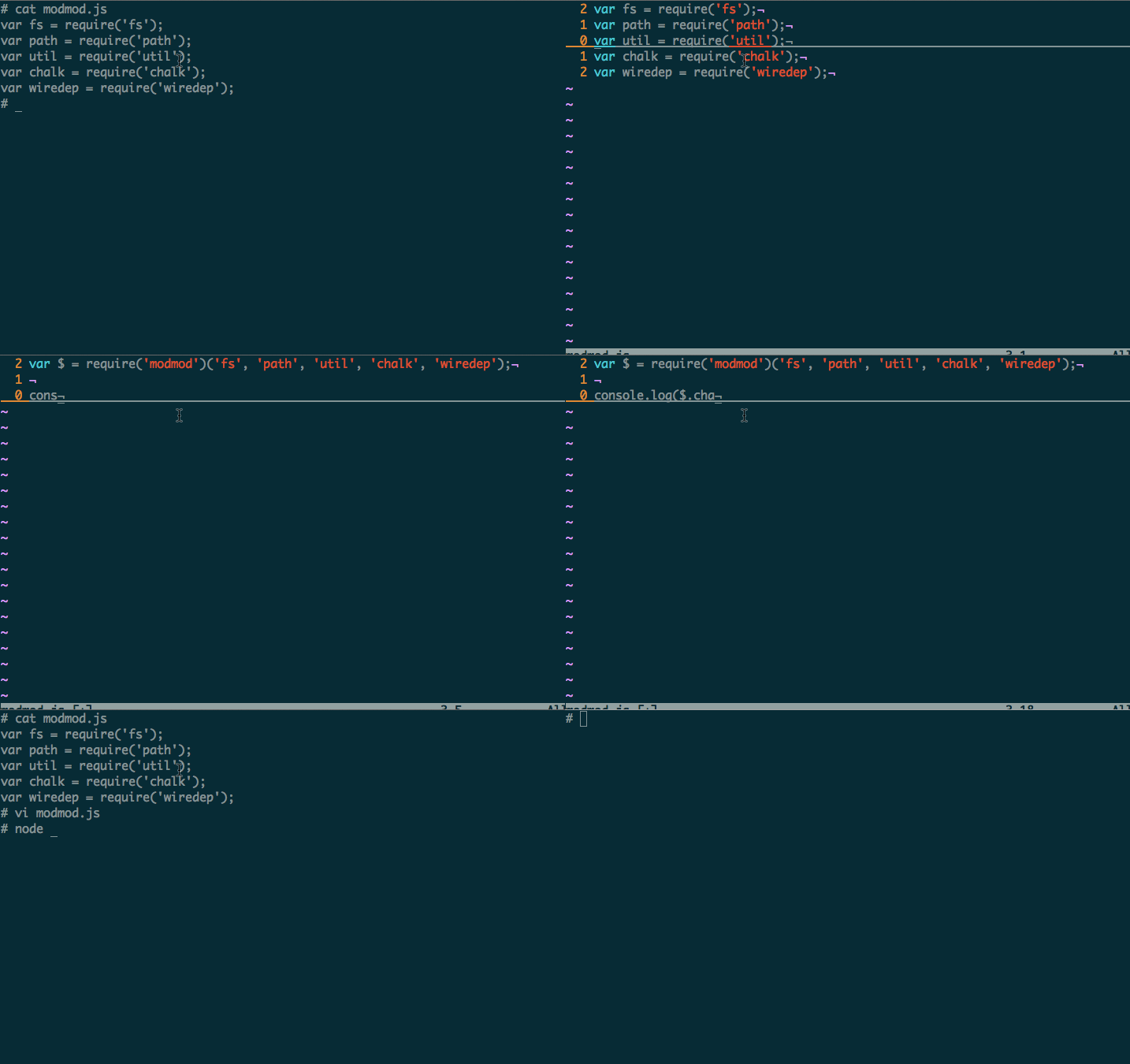
GIF FTW!

modmod

Enjoy your less require-y week ;)

P.S: This module is just six days old! Will need to evolve on things like this. do contribute your ideas to make it more awesome!

Have

Coding a "defensive" or a "contractual" API is a design decision, if you opt for the defensive way, here is a neat module called have that will help you to have your arguments, and validate it too!

Here is a simple example of two functions straight from the source, that does the same argument validations, the first one is without using have and the second one is with have:

1
2
3
4
5
6
7
8
9
10
11
12
13
14
15
16
17
18
19
function withoutHave(id, arr, opts, callback) {
  assert(typeof id === 'string' || typeof id === 'number',
    'id argument not string or number');

  if (!(arr instanceof Array)) { arr = [arr]; }
  for (var i = 0; i < arr.length; i++) {
    assert(typeof arr[i] === 'string', 'arr member not a string');
  }

  if (typeof opts === 'function') {
    callback = opts;
    opts = { x: 'some default value' };
  }

  assert(!opts || typeof opts === 'object', 'options object not a hash');
  assert(typeof callback === 'function', 'callback missing or not a function');

  // logic...
}
1
2
3
4
5
6
7
8
9
10
11
12
13
14
15
16
function withHave(id, arr, opts, callback) {
have(arguments,
    { id: 'str or num'
    , arr: 'str or str array'
    , opts: 'optional obj'
    , callback: 'func' });

  if (!(arr instanceof Array)) { arr = [arr]; }

  if (typeof opts === 'function') {
    callback = opts;
    opts = { x: 'some default value' };
  }

  // logic...
}

How's have better than any other argument validator?

Have provides:

  • mini-DSL

  • Soft assertion.

  • Shorter notations.

You can do a simple assertion with have like:

1
2
3
4
5
have.assert(function(cond, message) {
  if (!cond) {
    console.log('WARN: assertion failed: ' + message);
  }
});

You can also wrap the exported have function, in case you want to log the function name as well:

1
2
3
4
5
6
7
8
9
10
11
12
13
14
15
16
17
18
19
20
21
22
var assert = require('assert')
  , have = require('have')
  , funcName = "";

have.assert(function(cond, msg) {
  assert(cond, 'inside function: ' + funcName + ', ' + msg);
});

have = (function(have_) {
  return function(args, schema) {
    funcName = args.callee.name;
    have_(args, schema);
    funcName = "";
  };
})(have);


function test() {
  have(arguments, { one: 'string' });
}

test(123);

That would result in a output like:

1
2
3
4
5
6
7
8
9
10
11
12
13
14
assert.js:92
  throw new assert.AssertionError({
        ^
AssertionError: inside function: test, one argument is not string
    at funcName (/private/tmp/k.js:6:3)
    at ensure (/private/tmp/node_modules/have/have.js:109:5)
    at have (/private/tmp/node_modules/have/have.js:124:11)
    at have.one (/private/tmp/k.js:12:5)
    at test (/private/tmp/k.js:19:3)
    at Object.<anonymous> (/private/tmp/k.js:22:1)
    at Module._compile (module.js:456:26)
    at Object.Module._extensions..js (module.js:474:10)
    at Module.load (module.js:356:32)
    at Function.Module._load (module.js:312:12)

GIF FTW!

Thanks to Stdarg for suggesting this module and also a special thanks to chakrit the author of 'have' module

Hope you liked have have fun! :)

Configstore

CLI apps normally use configurations for different situations like:

  • Saving the state of an app and restoring it.

  • Having global and user level configurations for their own benefits.

  • Maintaining interval threshold value for cron like activities.

  • Storing strings for Internationalization and localization.

And many more similar use cases.

ConfigStore is one such node module that helps you to easily load and persist config without having to think about where and how!

This is wonderful module is a gift from Yeoman which has about 18432 downloads yesterday alone!

Installing is it just like any other module: $ npm install configstore

API:

The API set is very simple had has:

  • set(key, val) -> Set an item.

  • get(key) -> Get an item.

  • del(key) -> To delete an item.

  • all -> Get all the items in the current config store and replace them all with a new object.

  • size -> Count of the items.

  • path -> File path to the config store.

Example usage:

1
2
3
4
5
6
7
8
9
10
11
12
13
14
15
16
17
18
19
20
21
22
23
24
25
26
27
28
29
30
31
32
33
var Configstore =  require('configstore');

var conf = new Configstore('appConf');

/*
  var conf = new ( require('configstore') )('appConf');
  
  var conf = new ( require('configstore') )\
             ('appConf', {'ans': 42});

  i.e  Configstore(id, defaults);
  id -> mandator
  defaults -> optional

*/

// Set some values.
conf.set('life', 42);
conf.set('key', {'scrt': '42'});

// Get some values.
conf.get('life'); // 42
conf.get('key'); // {'scrt': 42}

// Delete a value.
conf.del('life');
conf.get('life'); // undefined.

// Get the count.
conf.size() // 1

// Reset the entier conf with new conf.
conf.all = {'ans' : 42};

Under the covers:

Config is stored as a YAML file in $XDG_CONFIG_HOME or ~/.config/configstore/your-config.yaml there is an issue for JSON support as well.

For the above example:

1
2
3
4
5
6
$ cat ~/.config/configstore/appConf.yaml

# Would be something like
key:
  scrt: 42
life: 42

GIF FTW!

configstore

Chalk

There are many wonderful node modules that adhere to Unix philosophy:

"Write programs that do one thing and do it well."

Out of many such one such elegant module is chalk thanks to Sindre Sorhus for that.

Whenever one wants to color the terminal, as in styling the strings on the console the first module that would come to mind is colors.js but one of the major drawbacks with that being it extending String.portotye or be these problems.

Installing chalk is like any other module: npm install --save chalk

Apart from allow the normal styling syntax, it also provides multiple styles, nested styles and multiple arguments.

For example:

1
2
3
4
5
var chalk = require('chalk');

console.log(  chalk.blue.bgRed.bold('Hello world!')  );

console.log(  chalk.red('Hello', chalk.underline('world') + '!')  );

Here is a simple snippet for printing all of the styles it provides:

1
2
3
4
5
6
7
var chalk = require('chalk');

Object.keys(chalk.styles).forEach(function(style) {
    if( style !== "reset") {
      process.stdout.write(chalk[style](style) + ' ');
    }
});

gif FTW!?

chalk

Until next week, happy coloring!

chalk-colors

RSVP

RSVP : A lightweight library that provides tools for organizing asynchronous code.

This module gives a tiny implementation of Promises/A+.

As usual do a npm install rsvp to get the module.

Basic Usage:

1
2
3
4
5
6
7
8
9
10
11
12
13
14
var RSVP = require('rsvp');

var promise = new RSVP.Promise(function(resolve, reject) {
  // succeed
  resolve(value);
  // or reject
  reject(error);
});

promise.then(function(value) {
  // success
}, function(value) {
  // failure
});

Once a promise has been resolved or rejected, it cannot be resolved or rejected again.

It give some more goddies like:

  • Chaining

  • Easy Error Handling.

  • Compatible with TaskJS.

So, what are you waiting for? Go got it and have fun!