Fluture

fluture

🦋 Fantasy Land compliant (monadic) alternative to Promises.

Fluture offers a control structure similar to Promises, Tasks, Deferreds, and what-have-you, the lib just terms it Futures.

Futures represent the value arising from the success or failure of an asynchronous operation they are lazy and adhere to the monadic interface.

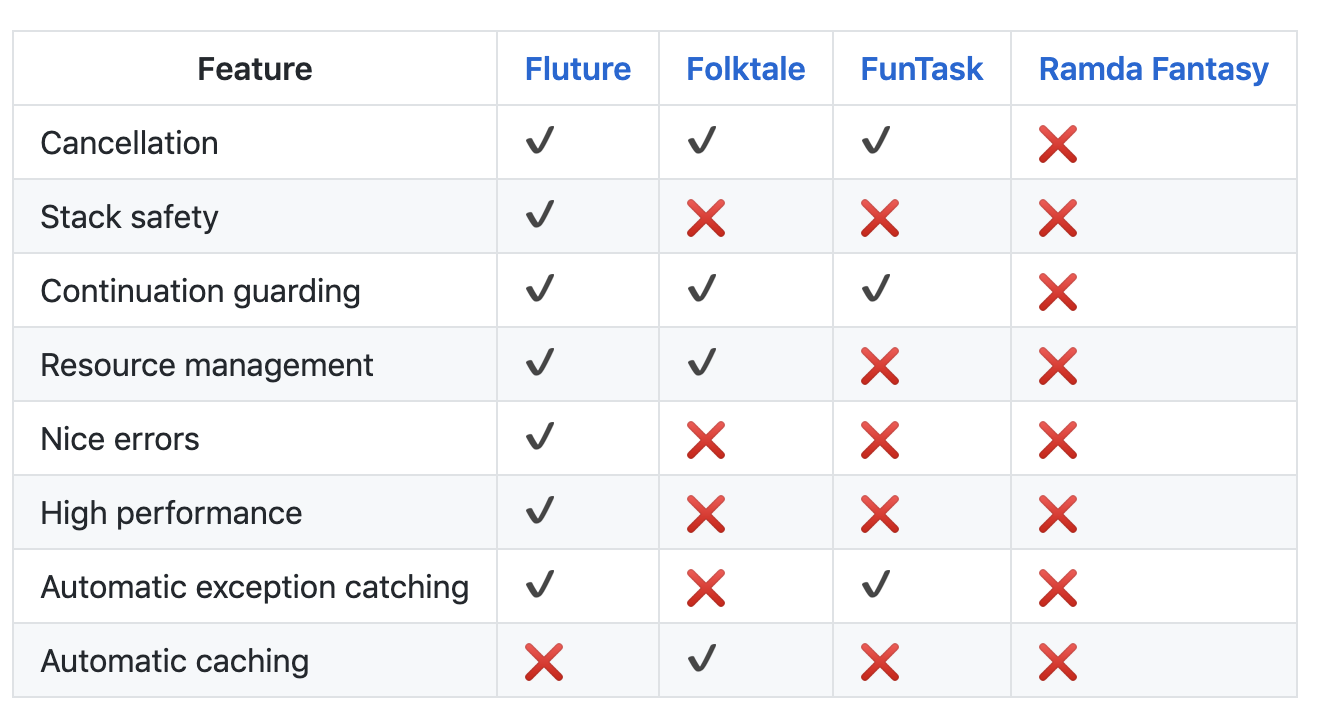
Feature comparsion of fluture like libs:
Get it: npm install --save fluture

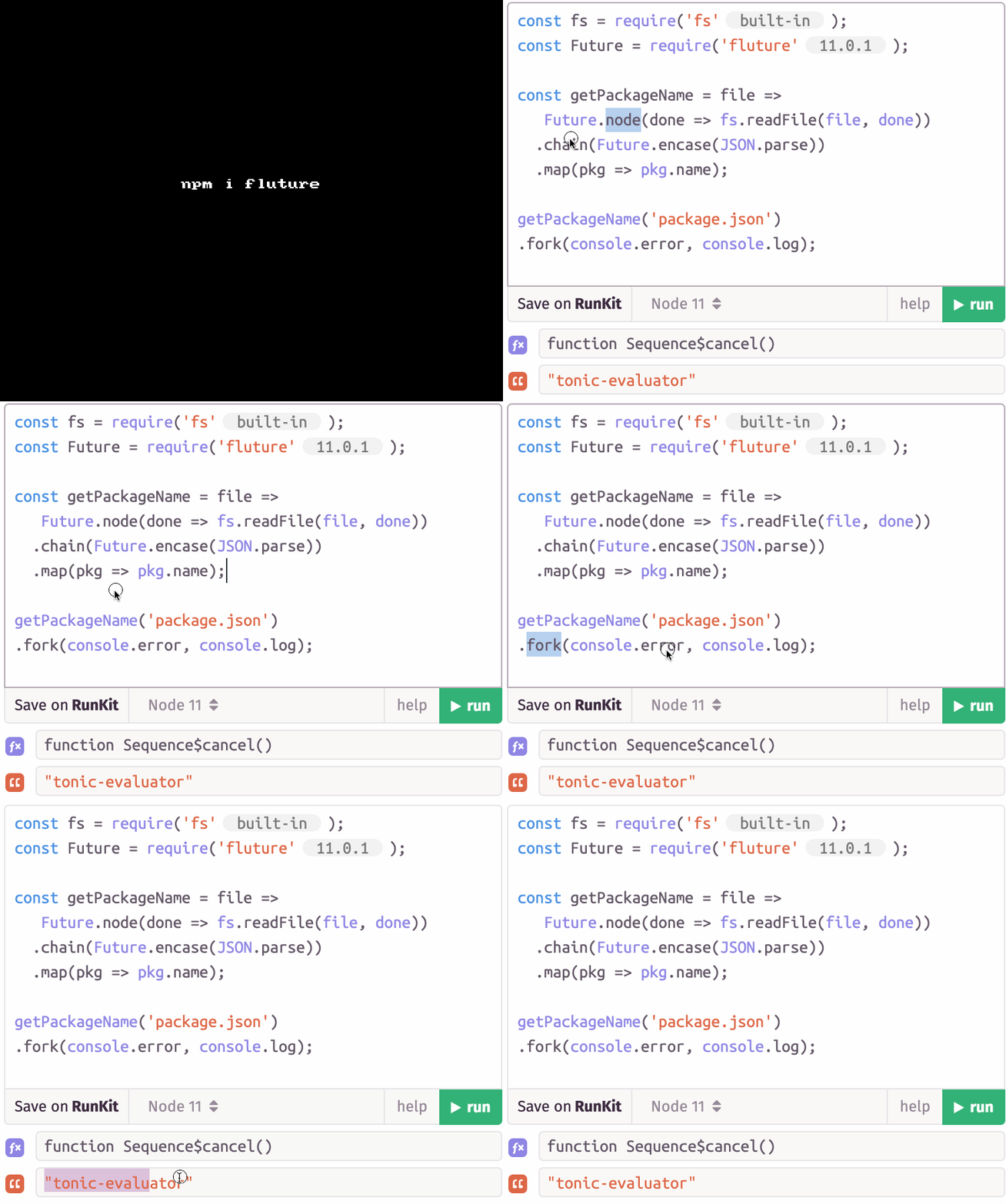
Sample usage:

1
2
3
4
5
6
7
8
9
10
11
import {readFile} from 'fs';
import {node, encase} from 'fluture';

const getPackageName = file =>
  node(done => readFile(file, 'utf8', done))
  .chain(encase(JSON.parse))
  .map(pkg => pkg.name);

getPackageName('package.json')
.fork(console.error, console.log);
//> "fluture"

GIF FTW!

fluture

```

sql.js

sql.js

SQLite compiled to javascript

sql.js is a port of SQLite to Webassembly, by compiling the SQLite C code with Emscripten.

There are no C bindings or node-gyp compilation here, sql.js is a simple javascript file, that can be used like any traditional javascript library!

Get it: npm install sql.js

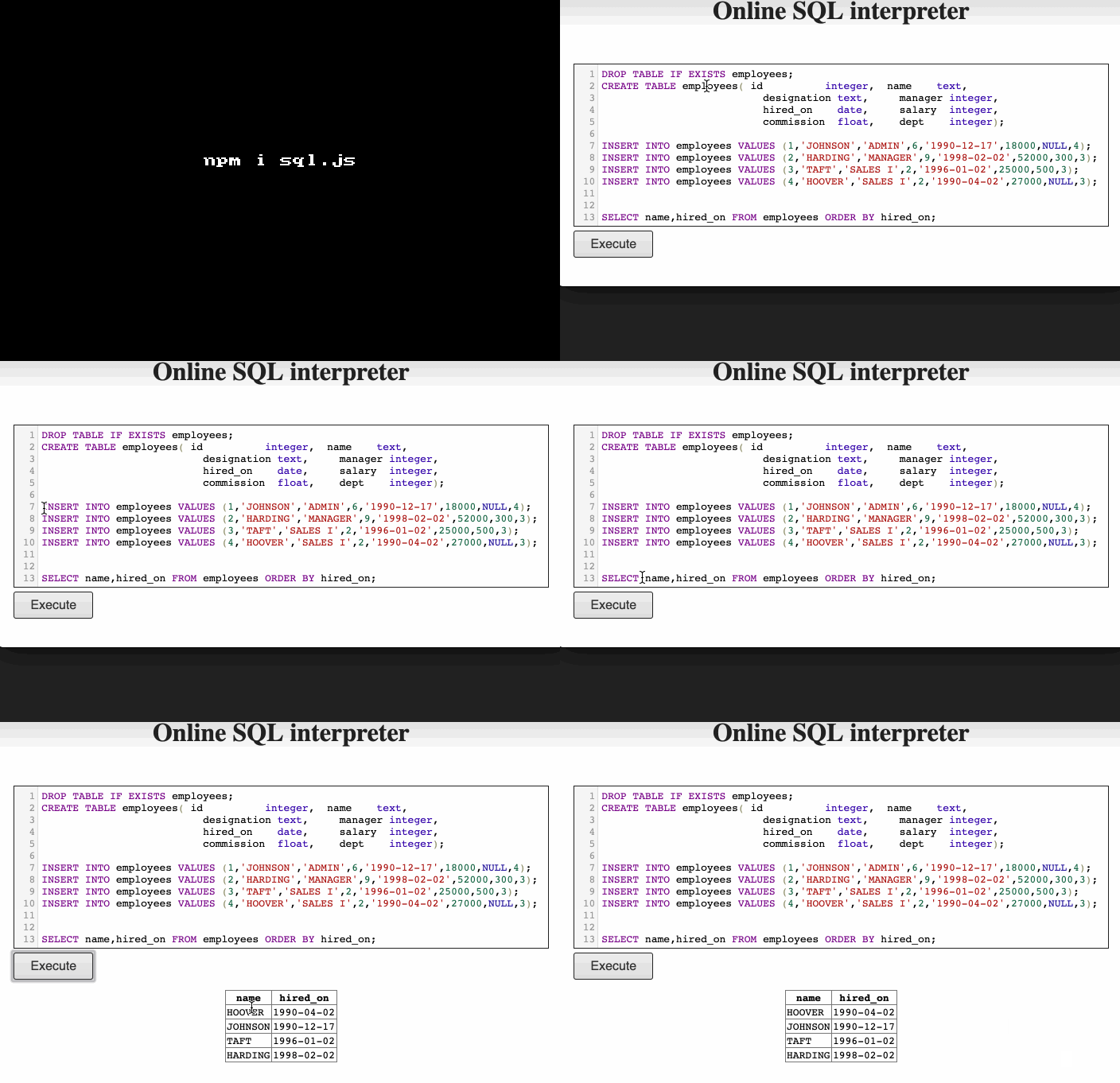
Sample usage:

1
2
3
4
5
6
7
8
9
10
11
12
13
DROP TABLE IF EXISTS employees;
CREATE TABLE employees( id integer,  name text,
                        designation text,     manager integer,
                        hired_on    date,     salary  integer,
                        commission  float,    dept    integer);

INSERT INTO employees VALUES (1,'JOHNSON','ADMIN',6,'1990-12-17',18000,NULL,4);
INSERT INTO employees VALUES (2,'HARDING','MANAGER',9,'1998-02-02',52000,300,3);
INSERT INTO employees VALUES (3,'TAFT','SALES I',2,'1996-01-02',25000,500,3);
INSERT INTO employees VALUES (4,'HOOVER','SALES I',2,'1990-04-02',27000,NULL,3);


SELECT name,hired_on FROM employees ORDER BY hired_on;

Would output something like:

name hired_on
HOOVER 1990-04-02|
JOHNSON 1990-12-17|
TAFT 1996-01-02|
HARDING 1998-02-02|

GIT FTW!

sql.js

Heresy

heresey

React like Custom Elements.

heresey makes good use of domtagger, hyperHTML, smartDiff and lighterhtml to provide React like feeling to Custom Elements.

Mail gaols for heresey :

  • declared elements are the instance you'd expect (no virtual, no facade)
  • declared elements can be of any kind (table, tr, select, option, ...)
  • any attribute change, or node lifecycle, can be tracked via VQ API (no componentDidMount and friends)
  • no redundant dom nodes, no ghost fragments, a clean as possible output

Get it: npm install heresey

Sample usage:

1
2
3
4
5
6
7
8
9
10
11
12
13
14
15
16
17
18
19
20
21
22
23
24
25
26
27
import {define, html, render} from 'heresy';

class MyButton extends HTMLButtonElement {

  // the only mandatory static field
  static get tagName() { return 'button'; }

  // (optional) intercepts some attribute (any value)
  set props(props) { this._props = props; }
  get props() { return this._props; }

  // (optional) render once connected
  connectedCallback() { this.render(); }

  // (optional) populate this button content
  //            (kinda useless with void elements such img, input, ...)
  render() {
    // this.html or this.svg are provided automatically
    this.html`Click ${this.props.name}!`;
  }
}

// define the custom element (class name mandatory too)
define(MyButton);

// populate some node
render(document.body, () => html`<MyButton props=$ />`);
1
2
3
4
5
6
7
8
9
10
11
12
13
14
15
16
17
18
19
20
21
22
23
24
import {define, html, render} from 'heresy';

// a div
define(class Div extends HTMLDivElement {
  static get tagName() { return 'div'; }
})

// a paragraph
define(class P extends HTMLParagraphElement {
  static get tagName() { return 'p'; }
})

// a h1
define(class H1 extends HTMLHeadingElement {
  static get tagName() { return 'h1'; }
})

render(document.body, () => html`
  <Div>
    <H1>Hello there</H1>
    <P>This is how custom elements look via heresy.</P>
    <P>Isn't this awesome?</P>
  </Div>
`);

GIF FTW!

heresy.gif

Fetch-mock

fetch-mock

Mock HTTP requests with fetch.

fetch-mock allows mocking HTTP requests made using fetch or a library imitating its api, such as node-fetch or fetch-ponyfill, works across, browser and node.

Get it: npm install fetch-mock

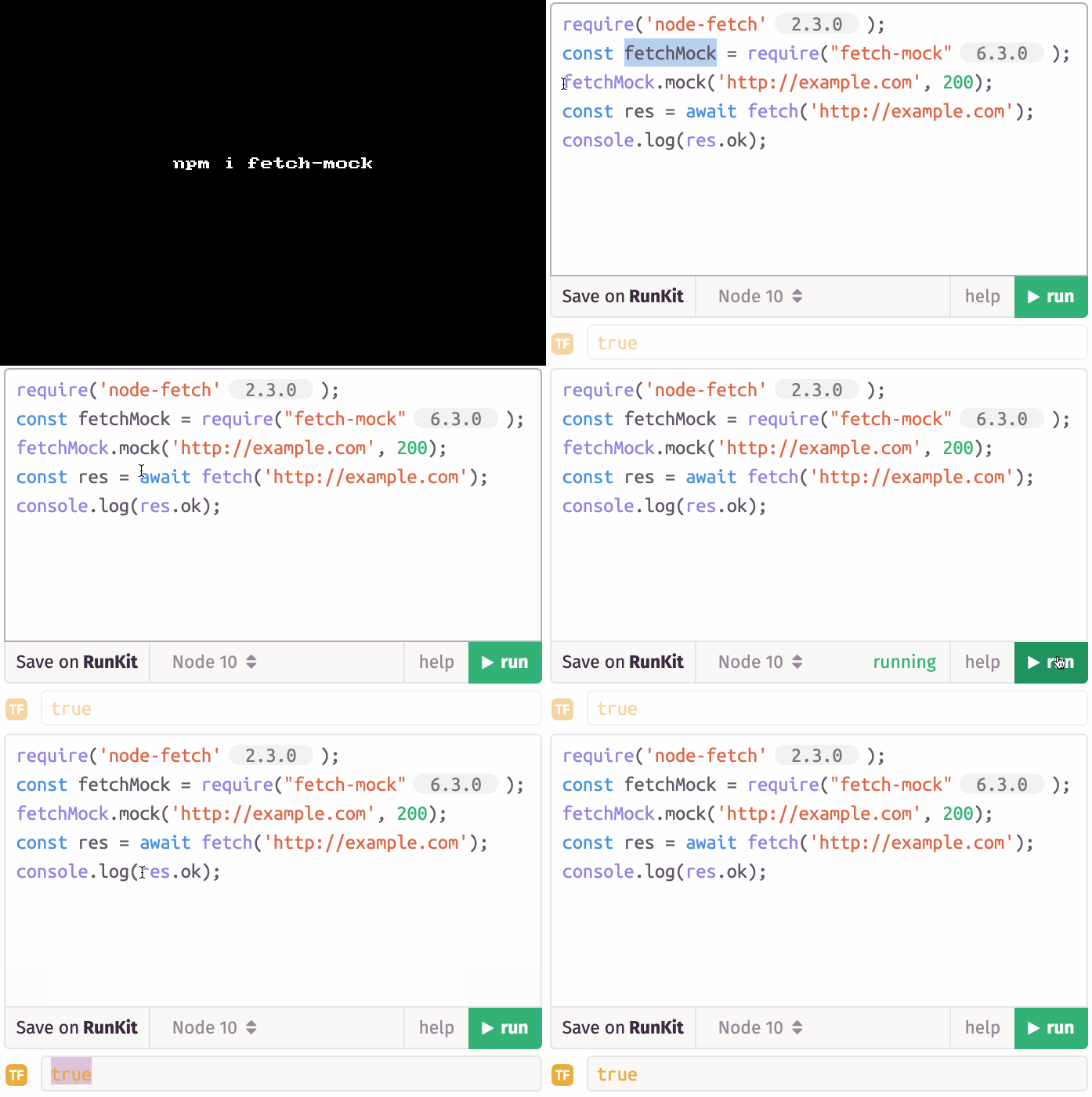
Sample usage:

1
2
3
4
const fetchMock = require("fetch-mock");
fetchMock.mock('http://example.com', 200);
const res = await fetch('http://example.com');
console.log(res.ok); // true

GIT FTW!

fetch-mock

Glob-to-regexp

glob-to-regexp

*-wildcard style glob to R.E

glob-to-regexp helps us in converting *-wildcard style glob to RE, as in "*.min.js" to /^.*\.min\.js$/.

Get it: npm install glob-to-regexp

Sample usage:

1
const globToRegExp = require('glob-to-regexp');
1
2
3
4
let re = globToRegExp("p*uck");
re.test("pot luck"); // true
re.test("pluck"); // true
re.test("puck"); // true
1
2
3
re = globToRegExp("*.min.js");
re.test("http://example.com/jquery.min.js"); // true
re.test("http://example.com/jquery.min.js.map"); // false
1
2
3
re = globToRegExp("*/www/*.js");
re.test("http://example.com/www/app.js"); // true
re.test("http://example.com/www/lib/factory-proxy-model-observer.js"); // true
1
2
3
4
// Extended globs
re = globToRegExp("*/www/{*.js,*.html}", { extended: true });
re.test("http://example.com/www/app.js"); // true
re.test("http://example.com/www/index.html"); // true

GIF FTW!

glob-to-regexp

Osenv

osenv

Look up environment settings.

osenv a tiny util that which has about 6,294,826 weekly downloads on npm, helps us in fetching the required evn setting from process.env acorss OS.

Get it: npm installl osenv

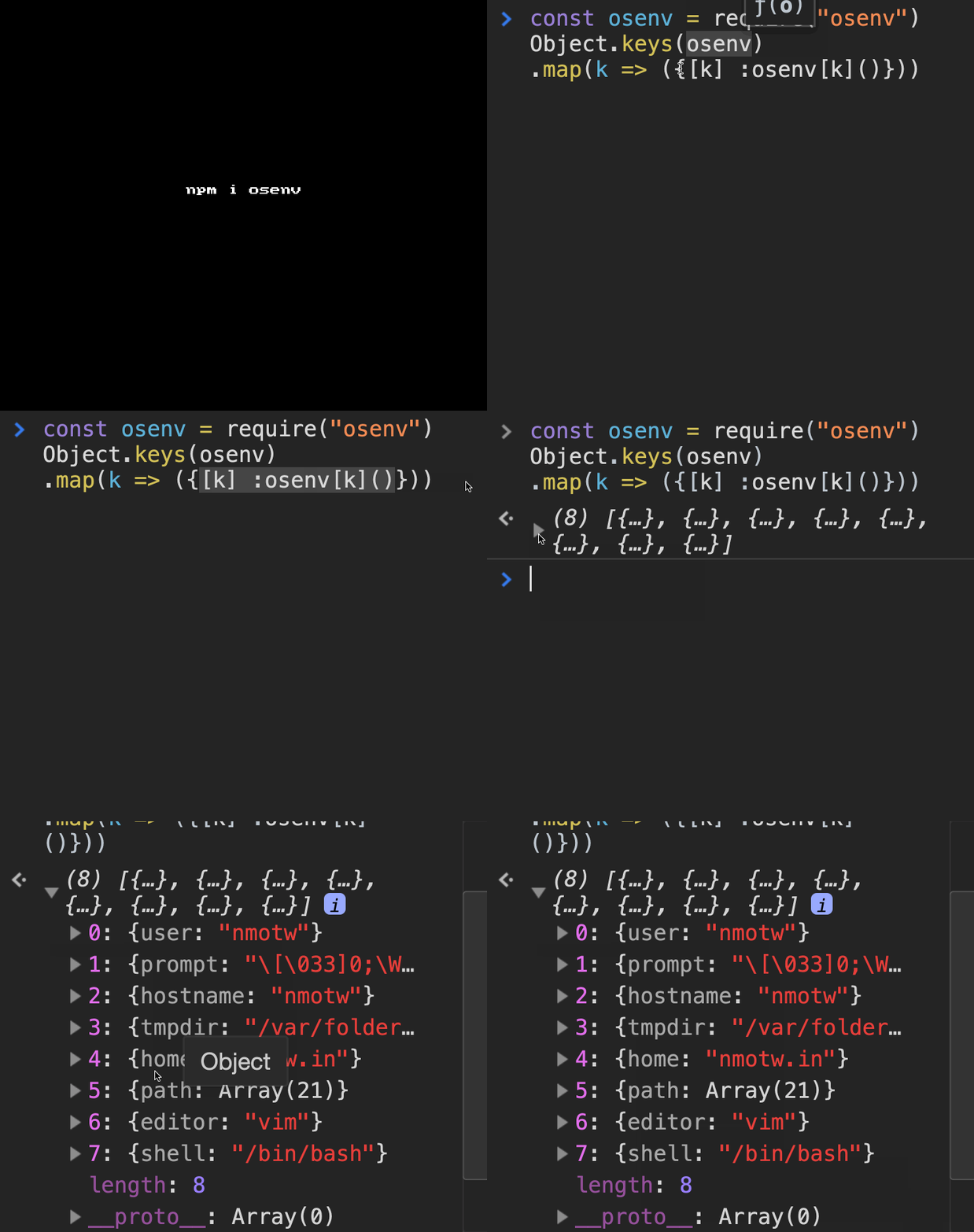
Sample usage:

1
2
3
4
5
6
7
8
9
> require('osenv')
{ user: [Function],
  prompt: [Function],
  hostname: [Function],
  tmpdir: [Function],
  home: [Function],
  path: [Function],
  editor: [Function],
  shell: [Function] }
1
2
3
4
5
6
7
8
9
10
11
12
13
14
15
16
17
18
19
const osenv = require('osenv')
const path = osenv.path()
const user = osenv.user()
// etc.

// Some things are not reliably in the env, and have a fallback command:
let h = osenv.hostname(function (er, hostname) {
  h = hostname
})
// This will still cause it to be memoized, so calling osenv.hostname()
// is now an immediate operation.

// You can always send a cb, which will get called in the nextTick
// if it's been memoized, or wait for the fallback data if it wasn't
// found in the environment.
osenv.hostname(function (er, hostname) {
  if (er) console.error('error looking up hostname')
  else console.log('this machine calls itself %s', hostname)
})

GIF FTW!

osenv

Eshost-cli

eshost-cli

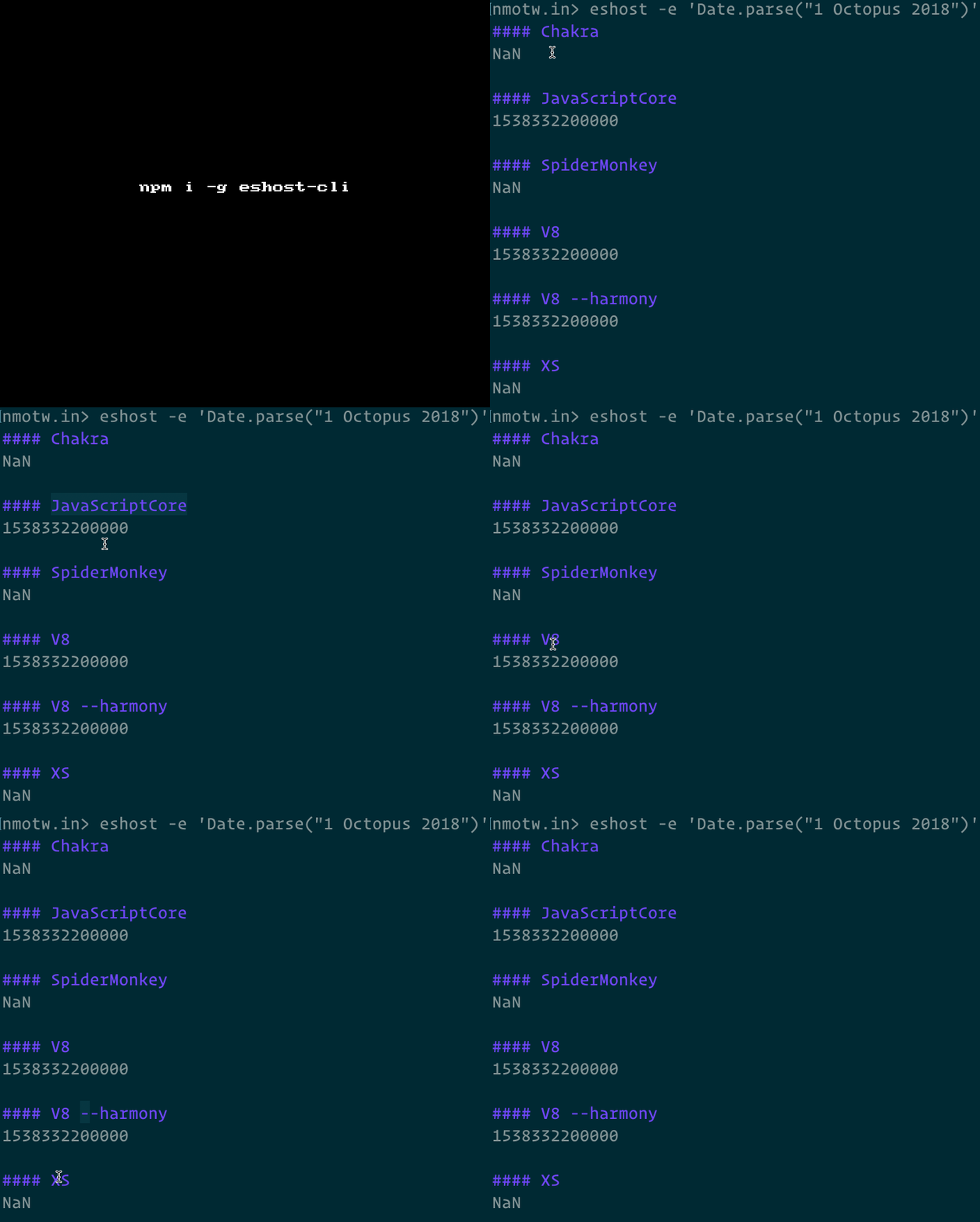
Run ECMAScript code uniformly across any ECMAScript host.

eshost-cli makes it easy to run and compare ECMAScript code uniformly across a number of runtimes. Support for runtimes is provided by the library eshost.

Get it: npm install -g eshost-cli

Sample usage:

1
2
3
4
5
6
7
8
9
10
11
12
13
14
15
16
17
18
19
nmotw.in> eshost -e 'Date.parse("1 Octopus 2018")'

#### Chakra
NaN

#### JavaScriptCore
1538332200000

#### SpiderMonkey
NaN

#### V8
1538332200000

#### V8 --harmony
1538332200000

#### XS
NaN
1
2
3
4
5
6
7
8
9
10
11
12
13
14
15
16
17
18
19
20
21
22
23
24
25
26
27
28
29
30
31
32
33
34
35
36
37
38
39
40
41
42
43
44
45
46
47
48
49
50
51
52
53
54
55
56
57
nmotw.in> eshost --help
Usage: eshost [options] [input-file]
       eshost [options] -e "input-script"
       eshost --list
       eshost --add [host name] [host type] <host path> --args <host arguments>
       eshost --delete [host name]

Options:
  -e, --eval        eval an expression and print the result
  -x, --execute     execute a multi-statement program
  -h, --host        select hosts by name (glob syntax is supported as well)
  -g, --hostGroup   select host groups by host type
  --tags            select hosts by tag
  -c, --config      select a config file
  --table, -t       output in a table                                  [boolean]
  --coalesce, -s    coalesce like output into a single entry           [boolean]
  --showSource, -i  show input source                                  [boolean]
  --unanimous, -u   If all engines agree, exit(0) with no output, otherwise
                    print and exit(1); implies --coalesce              [boolean]
  --add             add a host
  --edit            edit a host
  --delete          delete a host
  --args            set arguments for a host entry (use with --add)
  --configure-jsvu  Configure jsvu hosts in the config                 [boolean]
  --jsvu-prefix     [OPTIONAL] Set the prefix of the configured hosts. If prefix
                    is "jsvu" then hosts will be configured as, e.g., "jsvu-sm".
                    By default, no prefix (e.g. "sm"). Use this flag with
                    --configure-jsvu.
  --jsvu-root       [OPTIONAL] Use this path containing the .jsvu folder (use
                    this option if .jsvu is located somewhere other than the
                    home directory). Use this flag with --configure-jsvu.
  --help            Show help                                          [boolean]
  -a, --async       wait for realm destruction before reporting results[boolean]

Examples:
  eshost --list
  eshost --add d8 d8 path/to/d8 --args
  "--harmony"
  eshost --add ch ch path/to/ch --tags
  latest
  eshost --add ch ch path/to/ch --tags
  latest,greatest
  eshost --configure-jsvu
  eshost --configure-jsvu --jsvu-prefix
  jsvu
  eshost test.js
  eshost -e "1+1"
  eshost -its -x "for (let i=0; i<10; ++i)
  { print(i) }"
  eshost -h d8 -h chakra test.js
  eshost -h d8,sm test.js
  eshost -g node,ch test.js
  eshost -h d8 -g node test.js
  eshost -h ch-*,node test.js
  eshost -h ch-1.?.? test.js
  eshost --tags latest test.js
  eshost --unanimous test.js

GIT FTW!

eshost-cli

Carbon-now-cli

carbon-now-cli

carbon code images from CLI.

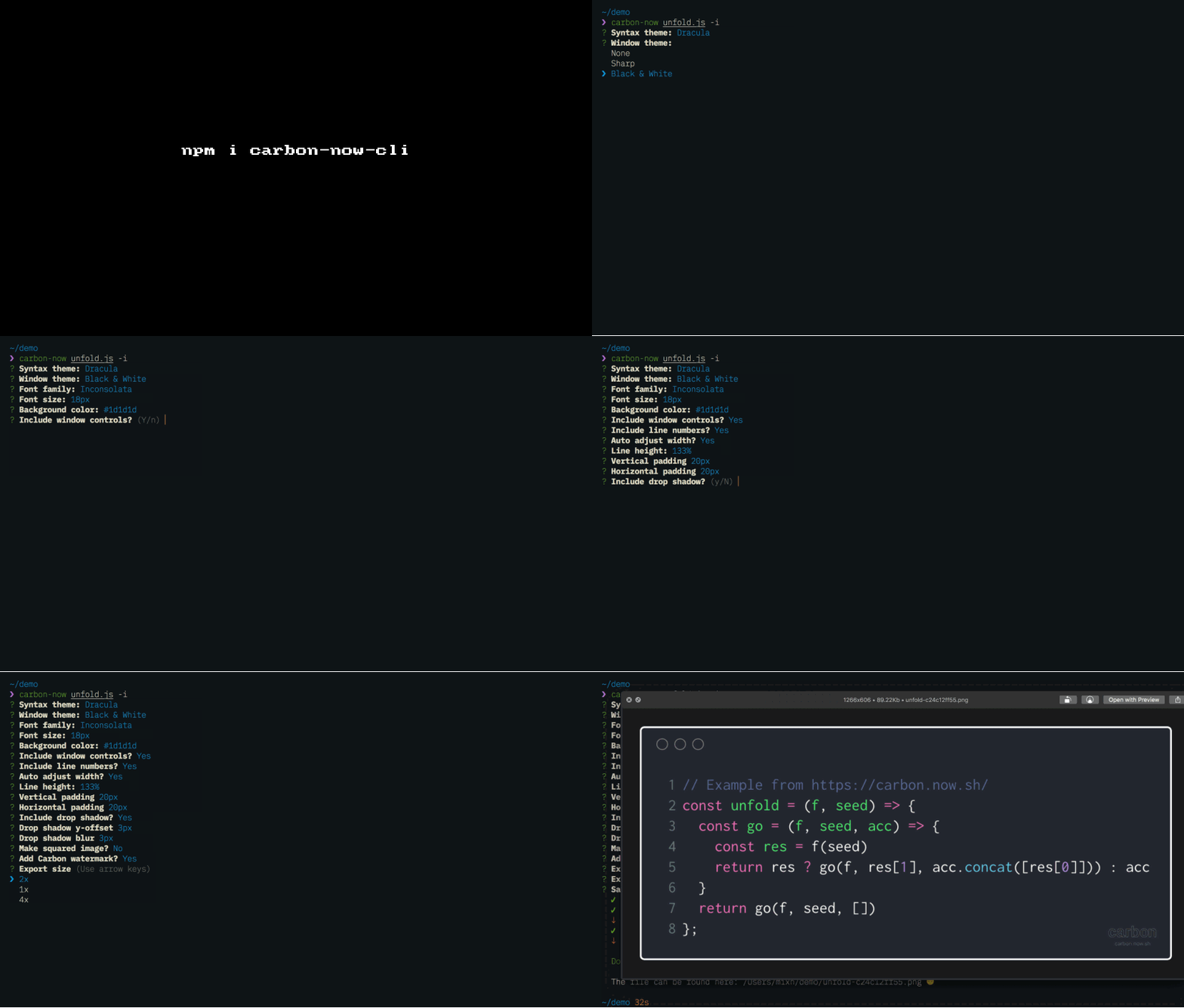
carbon-now-cli is a CLI interface for 🎨 Beautiful images of your code — from right inside your terminal!

It also porivdes the below functionality:

  • 🖼 Downloads the real, high-quality image (no DOM screenshots)
  • ✨ Detects file type automatically
  • 🗂 Supports all file extensions supported by carbon.now.sh and more
  • ⚡️ Interactive mode via --interactive
  • 🎒 Presets : save and reuse your favorite settings
  • 🖱 Selective highlighting --start and --end
  • 📎 Copies image to clipboard via --copy (cross-OS 😱)
  • 📚 Accepts file, stdin or clipboard content as input.
  • 🐶 Displays image directly in supported terminals
  • ⏱ Reports each step and therefore shortens the wait
  • 👀 Saves to given location or only opens in browser for manual finish.
  • 🌈 Supports saving as .png or .svg — just like Carbon
  • 📏 Supports 2x, 4x or 1x resolutions — just like Carbon
  • ✅ Tested
  • ⛏ Maintained

Get it: npm i -g carbon-now-cli

Sample usage:

1
2
3
4
5
6
7
8
9
10
11
12
13
14
15
16
17
18
19
20
21
$ carbon-now --help

Beautiful images of your code — from right inside your terminal.

Usage
  $ carbon-now <file>
  $ pbpaste | carbon-now
  $ carbon-now --from-clipboard

Options
  -s, --start          Starting line of <file>
  -e, --end            Ending line of <file>
  -i, --interactive    Interactive mode
  -l, --location       Image save location, default: cwd
  -t, --target         Image name, default: original-hash.{png|svg}
  -o, --open           Open in browser instead of saving
  -c, --copy           Copy image to clipboard
  -p, --preset         Use a saved preset
  -h, --headless       Use only non-experimental Puppeteer features
  --config             Use a different, local config (read-only)
  --from-clipboard     Read input from clipboard instead of file

GIF FTW

carbon-now-cli

React-window

react-window

React components for efficiently rendering large lists and tabular data.

From the horse's mouth, what is react-window?

react-window is a complete rewrite of react-virtualized. I didn't try to solve as many problems or support as many use cases. Instead I focused on making the package smaller1 and faster. I also put a lot of thought into making the API (and documentation) as beginner-friendly as possible (with the caveat that windowing is still kind of an advanced use case).

The compoents react-window provides:

  • FixedSizeList
  • VariableSizeList
  • FixedSizeGrid
  • VariableSizeGrid

Get it: npm install react-window

Sample usage:

1
2
3
4
5
6
7
8
9
10
11
12
13
14
15
16
17
18
import { FixedSizeList as List } from 'react-window';

const Column = ({ index, style }) => (
  <div style={style}>عمود {index}</div>
);

const Example = () => (
  <List
    direction="rtl"
    height={75}
    itemCount={1000}
    itemSize={100}
    layout="horizontal"
    width={300}
  >
    {Column}
  </List>
);

GIF FTW!

react-window

P.S: Don't miss to checkout the demos.

Image-promise

image-promise

Promisfied image loading!

Load one or more images, return a promise that resolves if the image loads or rejects in case of an error.

Get it: npm install image-pormise

Sample code:

1
2
3
4
5
6
7
8
9
10
11
12
13
14
var images = ['cat.jpg', 'dog.jpg'];
// var images = $('img'); // it can also be a jQuery object
// var images = document.querySelectorAll('img'); // or a NodeList

loadImage(images)
.then(function (allImgs) {
  console.log(allImgs.length, 'images loaded!', allImgs);
})
.catch(function (err) {
  console.error('One or more images have failed to load :(');
  console.error(err.errored);
  console.info('But these loaded fine:');
  console.info(err.loaded);
});
1
2
3
4
5
6
7
8
9
10
11
12
13
14
const images = [
  "https://unsplash.it/800/600?random&0",
  "https://unsplash.it/800/600?random&1",
  "https://unsplash.it/800/600?random&2",
  "https://unsplash.it/800/600?random&3"
];

(async () => {
    try {
        const imgs = await ImageLoader(images);
    } catch(err) {
        console.error(err.errored);
    }
})();
1
2
3
4
5
6
7
8
9
10
11
12
13
// for CORS enabled imgs
const image = 'http://catpics.com/cat.jpg';

loadImage(image, { crossorigin: 'anonymous' })
.then(function (img) {
  ctx.drawImage(img, 0, 0, 10, 10);

  // now you can do this
  canvas.toDataURL('image/png')
})
.catch(function () {
  console.error('Image failed to load :(');
});

GIF FTW!

image-promise