Slug

slugifies every string, even when it contains unicode!

Make strings url-safe.

Straight from the horse's mouth:

  • respecting RFC 3986

  • Comprehensive tests

  • No dependencies (except the unicode table)

  • Not in coffee-script (except the tests lol)

  • Coerces foreign symbols to their english equivalent

  • Works in browser (window.slug) and AMD/CommonJS-flavoured module loaders (except the unicode symbols unless you use browserify but who wants to download a ~2mb js file, right?)

Installing it: npm install slug

example

1
2
var slug = require('slug');
console.log(slug('i ♥ unicode')); // i-love-unicode
1
2
3
4
5
6
7
slug.defaults = {
    replacement: '-',      // replace spaces with replacement
    symbols: true,         // replace unicode symbols or not
    remove: null,          // (optional) regex to remove characters
    charmap: slug.charmap, // replace special characters
    multicharmap: slug.multicharmap // replace multi-characters
};

The crux of the module is a sweet a simple charmap:

1
multicharmap = { '<3': 'love', '&&': 'and', '||': 'or', 'w/': 'with' }
1
2
3
4
5
6
7
8
9
10
11
12
13
14
15
16
17
18
19
20
21
22
23
24
25
26
27
28
29
30
31
32
33
34
35
36
37
38
39
40
41
42
43
44
45
46
47
48
49
50
51
52
53
54
55
56
57
58
59
60
61
62
63
64
65
66
67
68
69
70
71
72
73
74
75
76
77
78
79
80
81
82
83
84
85
86
87
88
89
90
91
92
93
94
95
96
97
98
99
100
101
102
103
104
105
106
107
108
109
110
111
112
113
114
115
116
117
118
119
120
121
122
123
124
125
126
127
128
129
130
131
132
133
134
135
136
137
138
139
140
141
142
143
144
145
146
147
148
149
150
151
152
153
154
155
156
157
158
159
160
161
162
163
164
165
166
167
168
169
170
171
172
173
174
175
176
177
178
179
180
181
182
183
184
185
186
187
188
189
190
191
192
193
194
195
196
197
198
199
200
201
202
203
204
205
206
207
208
209
210
211
212
213
214
215
216
217
218
219
220
221
222
223
224
225
226
227
228
229
230
231
232
233
234
235
236
237
238
239
240
241
242
243
244
245
246
247
248
249
250
251
252
253
254
255
256
257
258
259
260
261
262
263
264
265
266
267
268
269
270
271
272
273
274
275
276
277
278
279
280
281
282
283
284
285
286
287
288
289
290
291
292
293
294
295
296
297
298
299
300
301
302
303
304
305
306
307
308
309
310
311
312
313
314
315
316
317
318
319
320
321
322
323
324
325
326
327
328
329
330
331
332
333
334
335
336
337
338
339
 charmap = {
    'À': 'A',
    'Á': 'A',
    'Â': 'A',
    'Ã': 'A',
    'Ä': 'A',
    'Å': 'A',
    'Æ': 'AE',
    'Ç': 'C',
    'È': 'E',
    'É': 'E',
    'Ê': 'E',
    'Ë': 'E',
    'Ì': 'I',
    'Í': 'I',
    'Î': 'I',
    'Ï': 'I',
    'Ð': 'D',
    'Ñ': 'N',
    'Ò': 'O',
    'Ó': 'O',
    'Ô': 'O',
    'Õ': 'O',
    'Ö': 'O',
    'Ő': 'O',
    'Ø': 'O',
    'Ù': 'U',
    'Ú': 'U',
    'Û': 'U',
    'Ü': 'U',
    'Ű': 'U',
    'Ý': 'Y',
    'Þ': 'TH',
    'ß': 'ss',
    'à': 'a',
    'á': 'a',
    'â': 'a',
    'ã': 'a',
    'ä': 'a',
    'å': 'a',
    'æ': 'ae',
    'ç': 'c',
    'è': 'e',
    'é': 'e',
    'ê': 'e',
    'ë': 'e',
    'ì': 'i',
    'í': 'i',
    'î': 'i',
    'ï': 'i',
    'ð': 'd',
    'ñ': 'n',
    'ò': 'o',
    'ó': 'o',
    'ô': 'o',
    'õ': 'o',
    'ö': 'o',
    'ő': 'o',
    'ø': 'o',
    'ù': 'u',
    'ú': 'u',
    'û': 'u',
    'ü': 'u',
    'ű': 'u',
    'ý': 'y',
    'þ': 'th',
    'ÿ': 'y',
    'ẞ': 'SS',
    'α': 'a',
    'β': 'b',
    'γ': 'g',
    'δ': 'd',
    'ε': 'e',
    'ζ': 'z',
    'η': 'h',
    'θ': '8',
    'ι': 'i',
    'κ': 'k',
    'λ': 'l',
    'μ': 'm',
    'ν': 'n',
    'ξ': '3',
    'ο': 'o',
    'π': 'p',
    'ρ': 'r',
    'σ': 's',
    'τ': 't',
    'υ': 'y',
    'φ': 'f',
    'χ': 'x',
    'ψ': 'ps',
    'ω': 'w',
    'ά': 'a',
    'έ': 'e',
    'ί': 'i',
    'ό': 'o',
    'ύ': 'y',
    'ή': 'h',
    'ώ': 'w',
    'ς': 's',
    'ϊ': 'i',
    'ΰ': 'y',
    'ϋ': 'y',
    'ΐ': 'i',
    'Α': 'A',
    'Β': 'B',
    'Γ': 'G',
    'Δ': 'D',
    'Ε': 'E',
    'Ζ': 'Z',
    'Η': 'H',
    'Θ': '8',
    'Ι': 'I',
    'Κ': 'K',
    'Λ': 'L',
    'Μ': 'M',
    'Ν': 'N',
    'Ξ': '3',
    'Ο': 'O',
    'Π': 'P',
    'Ρ': 'R',
    'Σ': 'S',
    'Τ': 'T',
    'Υ': 'Y',
    'Φ': 'F',
    'Χ': 'X',
    'Ψ': 'PS',
    'Ω': 'W',
    'Ά': 'A',
    'Έ': 'E',
    'Ί': 'I',
    'Ό': 'O',
    'Ύ': 'Y',
    'Ή': 'H',
    'Ώ': 'W',
    'Ϊ': 'I',
    'Ϋ': 'Y',
    'ş': 's',
    'Ş': 'S',
    'ı': 'i',
    'İ': 'I',
    'ğ': 'g',
    'Ğ': 'G',
    'а': 'a',
    'б': 'b',
    'в': 'v',
    'г': 'g',
    'д': 'd',
    'е': 'e',
    'ё': 'yo',
    'ж': 'zh',
    'з': 'z',
    'и': 'i',
    'й': 'j',
    'к': 'k',
    'л': 'l',
    'м': 'm',
    'н': 'n',
    'о': 'o',
    'п': 'p',
    'р': 'r',
    'с': 's',
    'т': 't',
    'у': 'u',
    'ф': 'f',
    'х': 'h',
    'ц': 'c',
    'ч': 'ch',
    'ш': 'sh',
    'щ': 'sh',
    'ъ': 'u',
    'ы': 'y',
    'ь': '',
    'э': 'e',
    'ю': 'yu',
    'я': 'ya',
    'А': 'A',
    'Б': 'B',
    'В': 'V',
    'Г': 'G',
    'Д': 'D',
    'Е': 'E',
    'Ё': 'Yo',
    'Ж': 'Zh',
    'З': 'Z',
    'И': 'I',
    'Й': 'J',
    'К': 'K',
    'Л': 'L',
    'М': 'M',
    'Н': 'N',
    'О': 'O',
    'П': 'P',
    'Р': 'R',
    'С': 'S',
    'Т': 'T',
    'У': 'U',
    'Ф': 'F',
    'Х': 'H',
    'Ц': 'C',
    'Ч': 'Ch',
    'Ш': 'Sh',
    'Щ': 'Sh',
    'Ъ': 'U',
    'Ы': 'Y',
    'Ь': '',
    'Э': 'E',
    'Ю': 'Yu',
    'Я': 'Ya',
    'Є': 'Ye',
    'І': 'I',
    'Ї': 'Yi',
    'Ґ': 'G',
    'є': 'ye',
    'і': 'i',
    'ї': 'yi',
    'ґ': 'g',
    'č': 'c',
    'ď': 'd',
    'ě': 'e',
    'ň': 'n',
    'ř': 'r',
    'š': 's',
    'ť': 't',
    'ů': 'u',
    'ž': 'z',
    'Č': 'C',
    'Ď': 'D',
    'Ě': 'E',
    'Ň': 'N',
    'Ř': 'R',
    'Š': 'S',
    'Ť': 'T',
    'Ů': 'U',
    'Ž': 'Z',
    'ą': 'a',
    'ć': 'c',
    'ę': 'e',
    'ł': 'l',
    'ń': 'n',
    'ś': 's',
    'ź': 'z',
    'ż': 'z',
    'Ą': 'A',
    'Ć': 'C',
    'Ę': 'E',
    'Ł': 'L',
    'Ń': 'N',
    'Ś': 'S',
    'Ź': 'Z',
    'Ż': 'Z',
    'ā': 'a',
    'ē': 'e',
    'ģ': 'g',
    'ī': 'i',
    'ķ': 'k',
    'ļ': 'l',
    'ņ': 'n',
    'ū': 'u',
    'Ā': 'A',
    'Ē': 'E',
    'Ģ': 'G',
    'Ī': 'I',
    'Ķ': 'K',
    'Ļ': 'L',
    'Ņ': 'N',
    'Ū': 'U',
    'ė': 'e',
    'į': 'i',
    'ų': 'u',
    'Ė': 'E',
    'Į': 'I',
    'Ų': 'U',
    'ț': 't',
    'Ț': 'T',
    'ţ': 't',
    'Ţ': 'T',
    'ș': 's',
    'Ș': 'S',
    'ă': 'a',
    'Ă': 'A',
    '€': 'euro',
    '₢': 'cruzeiro',
    '₣': 'french franc',
    '£': 'pound',
    '₤': 'lira',
    '₥': 'mill',
    '₦': 'naira',
    '₧': 'peseta',
    '₨': 'rupee',
    '₩': 'won',
    '₪': 'new shequel',
    '₫': 'dong',
    '₭': 'kip',
    '₮': 'tugrik',
    '₯': 'drachma',
    '₰': 'penny',
    '₱': 'peso',
    '₲': 'guarani',
    '₳': 'austral',
    '₴': 'hryvnia',
    '₵': 'cedi',
    '¢': 'cent',
    '¥': 'yen',
    '元': 'yuan',
    '円': 'yen',
    '﷼': 'rial',
    '₠': 'ecu',
    '¤': 'currency',
    '฿': 'baht',
    '$': 'dollar',
    '₹': 'indian rupee',
    '©': '(c)',
    'œ': 'oe',
    'Œ': 'OE',
    '∑': 'sum',
    '®': '(r)',
    '†': '+',
    '“': '"',
    '”': '"',
    '‘': '\'',
    '’': '\'',
    '∂': 'd',
    'ƒ': 'f',
    '™': 'tm',
    '℠': 'sm',
    '…': '...',
    '˚': 'o',
    'º': 'o',
    'ª': 'a',
    '•': '*',
    '∆': 'delta',
    '∞': 'infinity',
    '♥': 'love',
    '&': 'and',
    '|': 'or',
    '<': 'less',
    '>': 'greater'
}

Do also paw at the unicode data set!

GIF FTW!

Thanks to ▟ ▖▟ ▖ dodo for this module.

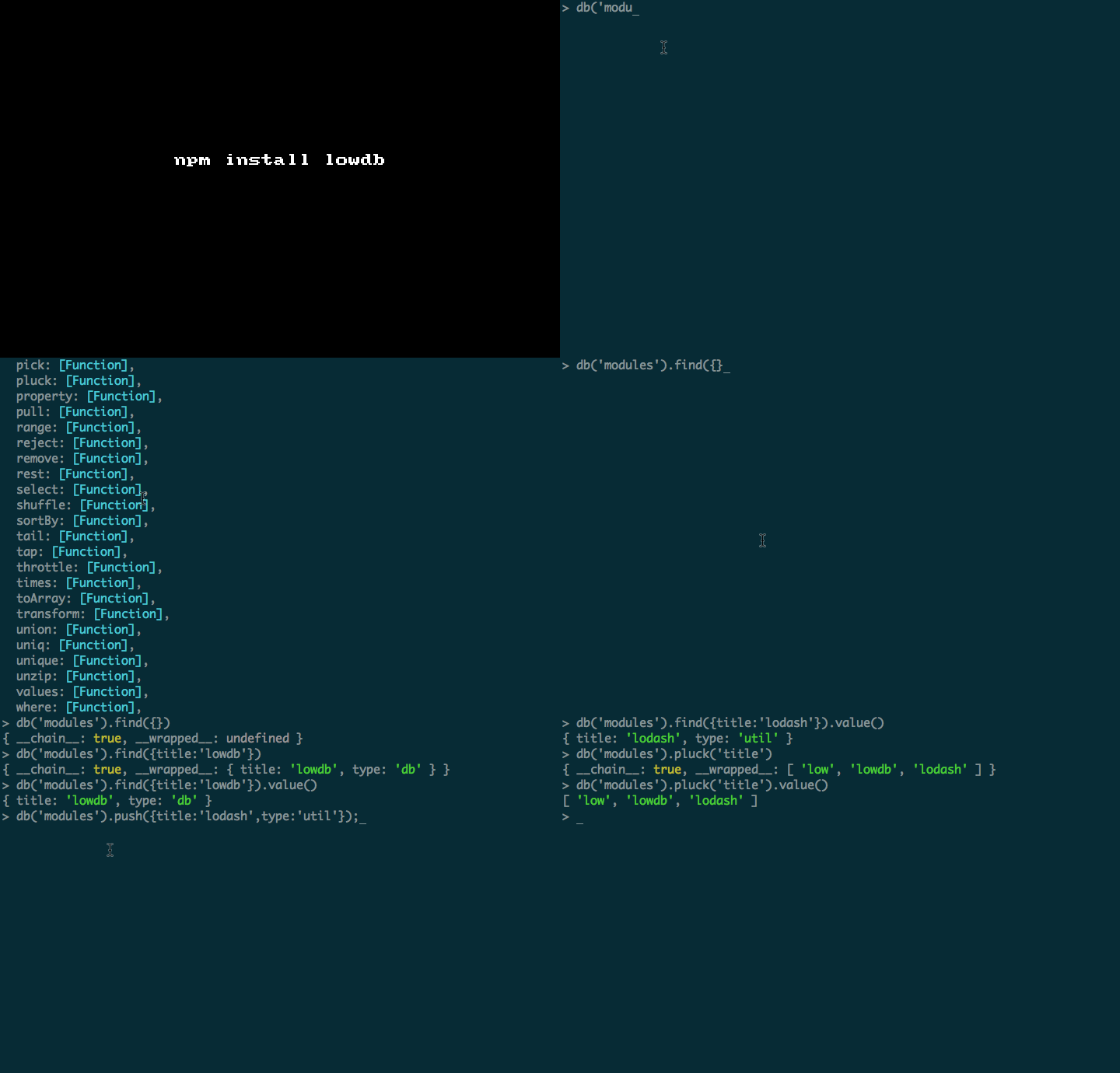
Lowdb

Flat JSON file database for Node

  • Serverless.

  • Multiple databases.

  • In-memory or disk-based.

  • 80+ methods from Lo-Dash API.

  • Asynchronous and fault-tolerant writing.

  • Extendable

LowDB uses Lo-Dash functional progamming API, it's a light weight DB implementation, which could be disk-based or in-memory database.

Installing it: $ npm install lowdb

Sample usage:

1
var low = require('lowdb');
1
2
var db = low();           // in-memory
var db = low('db.json'); // disk-based
1
2
3
var db = low('db.json')
db('modules').push({ title: 'lowdb', type:'db-util'});
db('modules').push({ title: 'lodash', type:'util'});
1
2
3
4
// Get all the titles.
db('modules')
  .pluck('title')
  .value()

On the db object we have the below actions:

1
2
3
4
5
6
7
8
9
10
11
12
13
14
15
16
17
18
19
20
21
22
23
24
25
26
27
28
29
30
31
32
33
34
35
36
37
38
39
40
41
42
43
44
45
46
47
48
49
50
51
52
53
54
55
56
57
58
59
60
61
62
63
64
65
66
67
68
69
70
71
72
73
74
75
76
77
78
79
80
81
82
83
84
85
86
87
88
89
90
91
92
93
94
95
96
97
98
99
100
101
102
103
104
105
106
107
108
109
110
111
112
113
114
115
116
117
118
119
120
121
122
123
124
125
126
127
128
129
130
131
132
133
134
135
136
137
138
139
140
141
142
143
144
145
146
147
148
149
150
151
152
153
154
155
156
157
[ 'after',
  'assign',
  'at',
  'bind',
  'bindAll',
  'bindKey',
  'chain',
  'collect',
  'compact',
  'compose',
  'constant',
  'countBy',
  'create',
  'createCallback',
  'curry',
  'debounce',
  'defaults',
  'defer',
  'delay',
  'difference',
  'drop',
  'each',
  'eachRight',
  'extend',
  'filter',
  'flatten',
  'forEach',
  'forEachRight',
  'forIn',
  'forInRight',
  'forOwn',
  'forOwnRight',
  'functions',
  'groupBy',
  'indexBy',
  'initial',
  'intersection',
  'invert',
  'invoke',
  'keys',
  'map',
  'mapValues',
  'max',
  'memoize',
  'merge',
  'methods',
  'min',
  'object',
  'omit',
  'once',
  'pairs',
  'partial',
  'partialRight',
  'pick',
  'pluck',
  'property',
  'pull',
  'range',
  'reject',
  'remove',
  'rest',
  'select',
  'shuffle',
  'sortBy',
  'tail',
  'tap',
  'throttle',
  'times',
  'toArray',
  'transform',
  'union',
  'uniq',
  'unique',
  'unzip',
  'values',
  'where',
  'without',
  'wrap',
  'xor',
  'zip',
  'zipObject',
  'all',
  'any',
  'clone',
  'cloneDeep',
  'contains',
  'detect',
  'escape',
  'every',
  'find',
  'findIndex',
  'findKey',
  'findLast',
  'findLastIndex',
  'findLastKey',
  'findWhere',
  'foldl',
  'foldr',
  'has',
  'identity',
  'include',
  'indexOf',
  'inject',
  'isArguments',
  'isArray',
  'isBoolean',
  'isDate',
  'isElement',
  'isEmpty',
  'isEqual',
  'isFinite',
  'isFunction',
  'isNaN',
  'isNull',
  'isNumber',
  'isObject',
  'isPlainObject',
  'isRegExp',
  'isString',
  'isUndefined',
  'lastIndexOf',
  'mixin',
  'noConflict',
  'noop',
  'now',
  'parseInt',
  'random',
  'reduce',
  'reduceRight',
  'result',
  'runInContext',
  'size',
  'some',
  'sortedIndex',
  'template',
  'unescape',
  'uniqueId',
  'support',
  'templateSettings',
  'first',
  'last',
  'sample',
  'take',
  'head',
  'toString',
  'value',
  'valueOf',
  'join',
  'pop',
  'shift',
  'push',
  'reverse',
  'sort',
  'unshift',
  'concat',
  'slice',
  'splice' ]

All in all this a module that helps you for a quick prototype, not meant for high performance and is not scalable.

Thanks to typicode for this sweet module.

GIF FTW!:

Dateformat

dateformat

Steven Levithan's excellent dateFormat() function.

Installation

1
$ npm install dateformat

Usage

1
2
3
4
5
6
7
8
9
10
11
12
var dateFormat = require('dateformat');
var now = new Date();

dateFormat(now, "dddd, mmmm dS, yyyy, h:MM:ss TT");

dateFormat(now, "isoDateTime");

dateFormat.masks.foodTime = 'HH:MM! "Time to eat!"';

dateFormat(now, "foodTime");

dateFormat("Feb 1 1988", "fullDate");

GIF FTW:

Thanks to the author Felix Geisendörfer for a sweet date formatter! :)

Jsonselect

JSONSelect defines a language very similar in syntax and structure to CSS3 Selectors.

JSONSelect expressions are patterns which can be matched against JSON documents.

Installing it: npm install jsonselect

Sample usage:

1
2
3
4
5
6
7
8
9
10
11
12
13
14
15
16
17
18
19
var select = require('jsonselect');

select(user,{only: '.friends'});

/*
{ friends: 
   [ { username: 'bob', password: 'bob pass' },
     { username: 'joe', password: 'joe pass' },
     { username: 'jeff', password: 'jeff pass' } ] }
*/

select(user,{only: '.friends', except: '.password'});

/*
{ friends: 
   [ { username: 'bob' },
     { username: 'joe' },
     { username: 'jeff' } ] }
*/

P.S: This module is still in the beta phase. Do checkout jsonselect.org

GIF FTW!

jsonselect

Thanks to Lloyd Hilaiel and wish me the very best with this module!

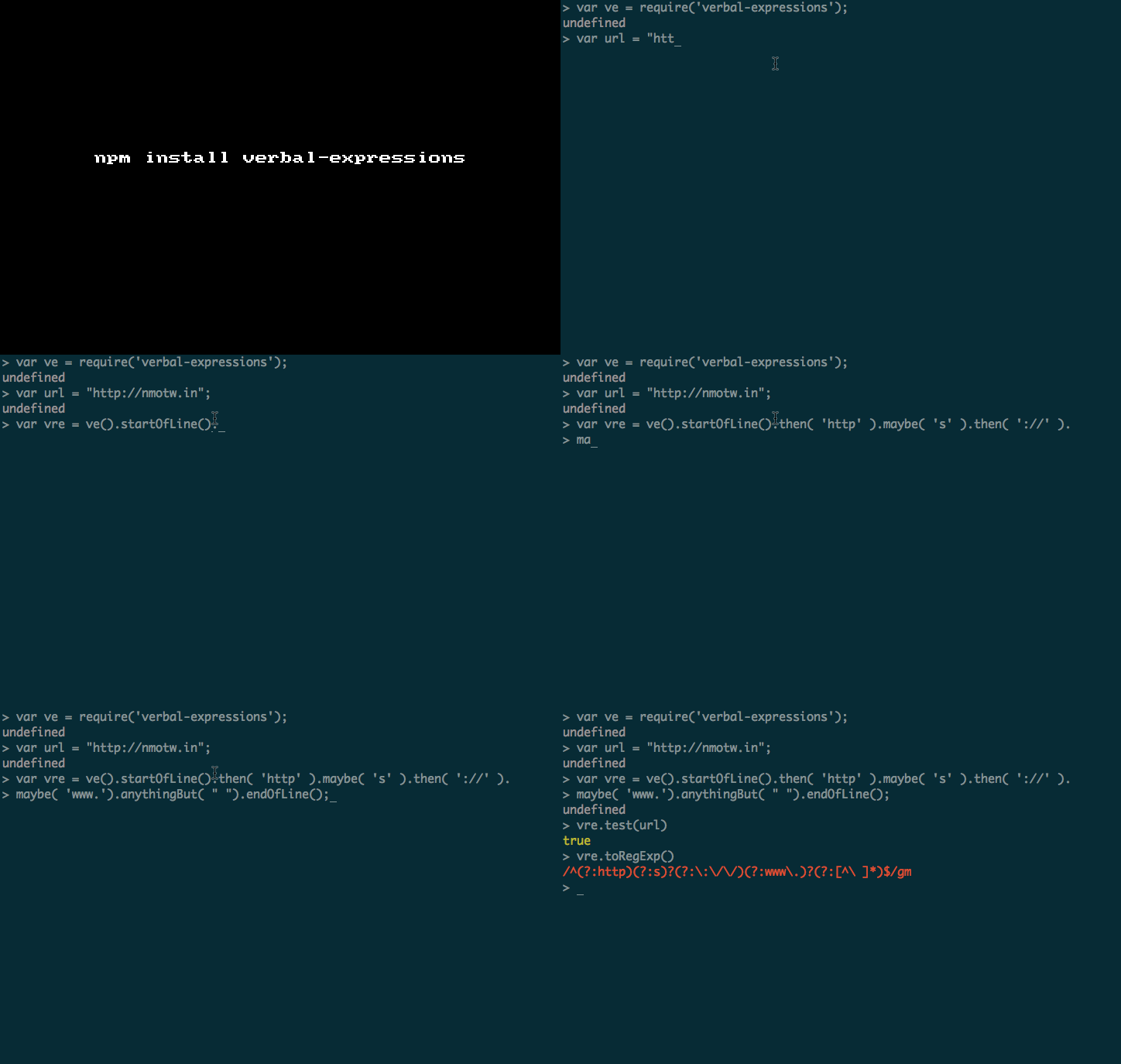
Verbal-expressions

JavaScript Regular Expressions made easy

VerbalExpressions helps us to construct difficult regular expressions is an intuitive manner.

Install it: npm install verbal-expressions

Example usage:

1
2
3
4
5
6
7
8
9
10
11
12
13
14
var ve = require('verbal-expressions');
var url = "http://nmotw.in";
var vre = ve()
  .startOfLine()
  .then( 'http' )
  .maybe( 's' )
  .then( '://' )
  .maybe( 'www.')
  .anythingBut( " " )
  .endOfLine();

vre.test(url); //true

vre.toRegExp(); // /^(?:http)(?:s)?(?:\:\/\/)(?:www\.)?(?:[^\ ]*)$/gm

What else do we have?

Modifiers:

  • anything()

  • anythingBut( value )

  • endOfLine()

  • find( value )

  • maybe( value )

  • startOfLine()

  • then( value )

Special characters and groups:

  • any( value )

  • anyOf( value )

  • br()

  • lineBreak()

  • range( from, to)

  • tab()

  • word()

Modifiers:

  • withAnyCase()

  • stopAtFirst()

  • searchOneLine()

Functions:

  • replace( source, value )

Others:

  • add( expression )

  • multiple( value )

  • or()

GIF FTW!

Thanks to Mihai Ionut Vilcu for verbal expressions!

Only

Only

Return whitelisted properties of an object.

Only will only return the properties of an object that we are intrested in.

A simple and an effective module from Tj Holowaychuk .

Install it: npm install only

Sample usage:

Say we have a response from a mongo query which looks like:

1
2
3
4
5
6
var obj = {
  name: 'tobi',
  last: 'holowaychuk',
  email: '[email protected]',
  _id: '12345'
};

Out of which we are intrested on only name and email, so all we need to do is:

1
2
3
4
5
6
7
8
9
10
11
12
13
14
15
16
let only = require('only');

var obj = {
  name: 'tobi',
  last: 'holowaychuk',
  email: '[email protected]',
  _id: '12345'
};

console.log(only(obj,'name email'));

// ^ Would log { name: 'tobi', email: '[email protected]' }

console.log(only(obj,'name foo bar baz'));

// Smart enough to omit undefineds and logs { name: 'tobi' }

The cool part being, the entire module is just ten lines and it reads:

1
2
3
4
5
6
7
8
9
module.exports = function(obj, keys){
  obj = obj || {};
  if ('string' == typeof keys) keys = keys.split(/ +/);
  return keys.reduce(function(ret, key){
      if (null == obj[key]) return ret;
      ret[key] = obj[key];
      return ret;
  }, {});
};

GIF FTW!

only

Git-promise

git-promise

Simple wrapper that allows you to run any git command using a more intuitive syntax.

git-promise is a product of a very good combination of Q and ShellJS and returns a promise for us, it also handles exit code automatically. Parsing the output or dealing with non 0 exit code is also very clean and easy with this.

We can also chain commands, execute the git command in a specific dir. If those are not enough it also provides a copule of util methods.

Installing it: $ npm install git-promise

Sample usage:

1
2
3
4
5
var git = require('git-promise');

git("init")
.then(console.log)
.fail(console.error);

That would output something like: Initialized empty Git repository in ...

More complex example:

Say we have a test dir that has a file named me with the content blame me and we run git blame on it.

1
2
3
4
5
6
7
8
9
10
11
git("blame me", {
    cwd: "blame"
}, function(output, code) {
    // output and cwd will be as specified.
}).then(function(what) {
    // you would have switched back to current dir.
}).fail(function(err) {
    // If there are any errors
}).fin(function() {
    // Finally reach here.
});

All in all git-promise is a very well composed module and has a lot of potential to get more better, a huge thanks to Fabio Crisci for authoring this module.

GIF FTW!

git-promise

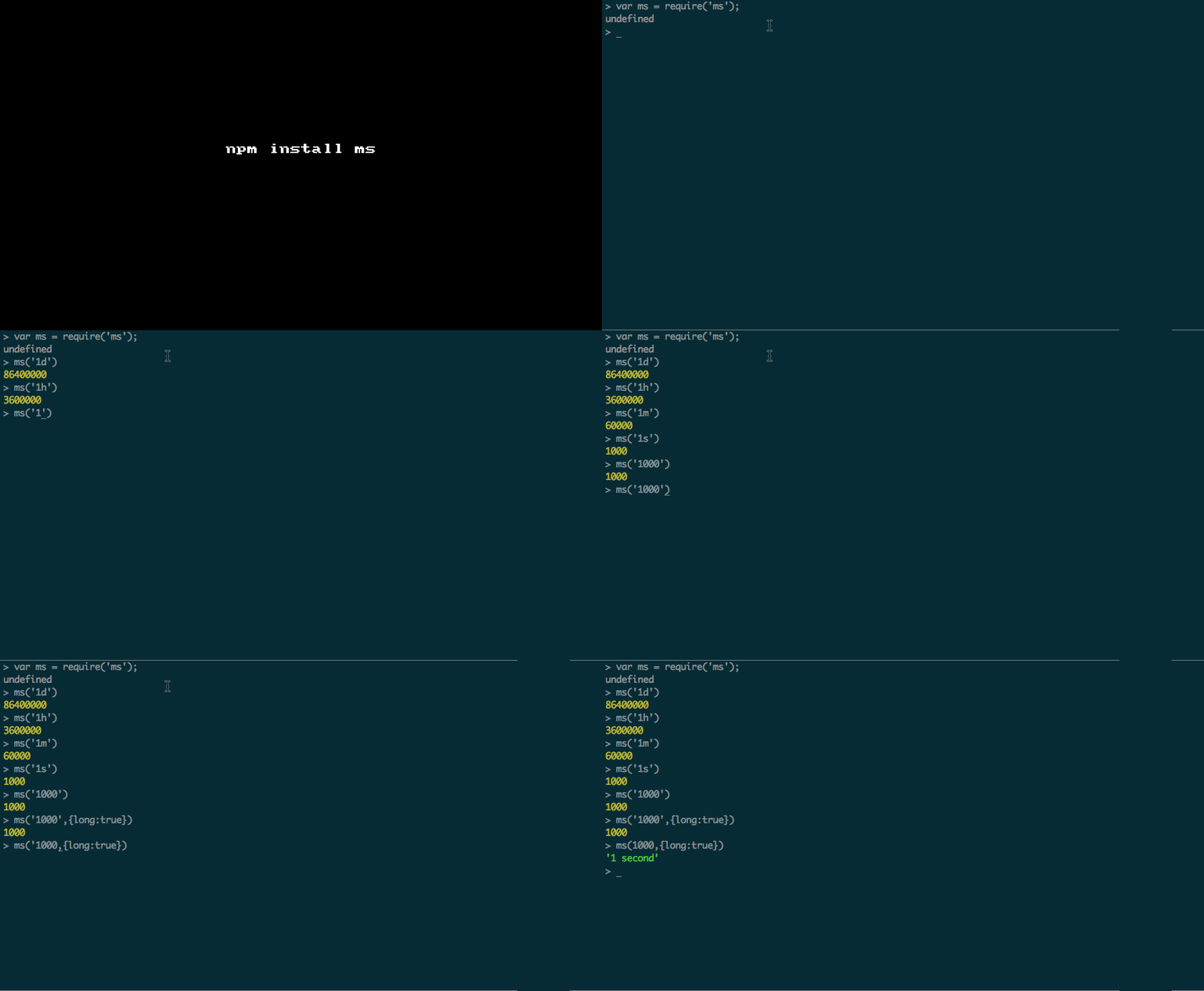
Ms

ms a Tiny milisecond conversion utility, that does the below:

  • number -> (ms) -> string with a unit is returned.

  • string -> (ms) -> string

  • string+number with a valid unit -> (ms) -> number of equivalent ms

Installing: npm install ms

Usage:

1
2
3
4
5
6
7
8
9
10
11
12
13
14
15
var ms = require('ms');

ms('1d'); // 86400000

ms('1h'); // 3600000

ms('1m') // 60000

ms('1s') // 1000

ms('1000') // 1000

ms('1000',{long:true}) // 1000

ms(1000,{long:true}) // '1 second'

ms is one of those sweet tiny module that does exactly what is expected from it. The code is just 111 lines, logic is pretty simple, the method parses the given str and return milliseconds ;) well it also support short and long format for ms and has a Pluralization helper too.

Below as few selected chunks from the source code:

Helpers:

1
2
3
4
5
var s = 1000;
var m = s * 60;
var h = m * 60;
var d = h * 24;
var y = d * 365.25;

Matcher:

1
/^((?:\d+)?\.?\d+) *(ms|seconds?|s|minutes?|m|hours?|h|days?|d|years?|y)?$/i

Pluralization:

1
2
3
4
5
function plural(ms, n, name) {
  if (ms < n) return;
  if (ms < n * 1.5) return Math.floor(ms / n) + ' ' + name;
  return Math.ceil(ms / n) + ' ' + name + 's';
}

GIF FTW!

ms

Special thanks to Guillermo Rauch for this wonderful module :)

Address

How many times have you checked for the IP, MAC and DNS servers on the CLI?

Well, you would have lost the count if you are into sever admin and maintaince, but either way it might be just to share some data over the LAN you would have checked for these, but when you need them programatically there a sweet module named address that will help you it's sweeter APIs.

Installing it: npm install address

Peep in:

1
2
3
4
5
6
7
> var address = require('address')

> address.MAC_RE
/(?:ether|HWaddr)\s+((?:[a-z0-9]{2}\:){5}[a-z0-9]{2})/i

> address.MAC_IP_RE
/inet\s(?:addr\:)?(\d+\.\d+\.\d+\.\d+)/

Example usage:

1
2
3
4
5
6
7
8
9
10
11
12
13
14
15
16
var address = require('address');

// default interface 'eth' on linux, 'en' on osx.
address.ip();   // '192.168.0.2'
address.ipv6(); // 'fe80::7aca:39ff:feb0:e67d'
address.mac(function (err, addr) {
  console.log(addr); // '78:ca:39:b0:e6:7d'
});

// local loopback
address.ip('lo'); // '127.0.0.1'

address.dns(function (err, addrs) {
  console.log(addrs);
  // ['10.13.2.1', '10.13.2.6']
});

Get them all!

1
2
3
4
address(function (err, addrs) {
  console.log(addrs.ip, addrs.ipv6, addrs.mac);
  // '192.168.0.2', 'fe80::7aca:39ff:feb0:e67d', '78:ca:39:b0:e6:7d'
});

GIF FTW?!

address

Thanks to fengmk2 for helping us to find addresses in ease.

Nom

Om nom nom. Super simple screen scrapper!

Nom uses cheerio to provide the core jQuery API for grabbing and manipulating the response.

Installation: npm install nom or npm install -g nom if you want to use it on the CLI.

Sample usage:

From script:

1
2
3
4
5
6
7
8
var nom = require('nom');

nom('http://nmotw.in', function(err,$) {
  console.log( $('title').text() );
});

// Would log :
// Node Module Of The Week  | NMOTW

From CLI:

1
2
$ nom http://nmotw.in 'title'
Node Module Of The Week  | NMOTW

GIF FTW!

Thanks to Matt Mueller for nom.